Premium Nepali Calendar, Date Converter, and Productivity Tools for PC
A deceptively powerful nepali desktop companion living quietly on your
taskbar.
Packed with worthy 25+ thoughtfully crafted tools that speaks quality.



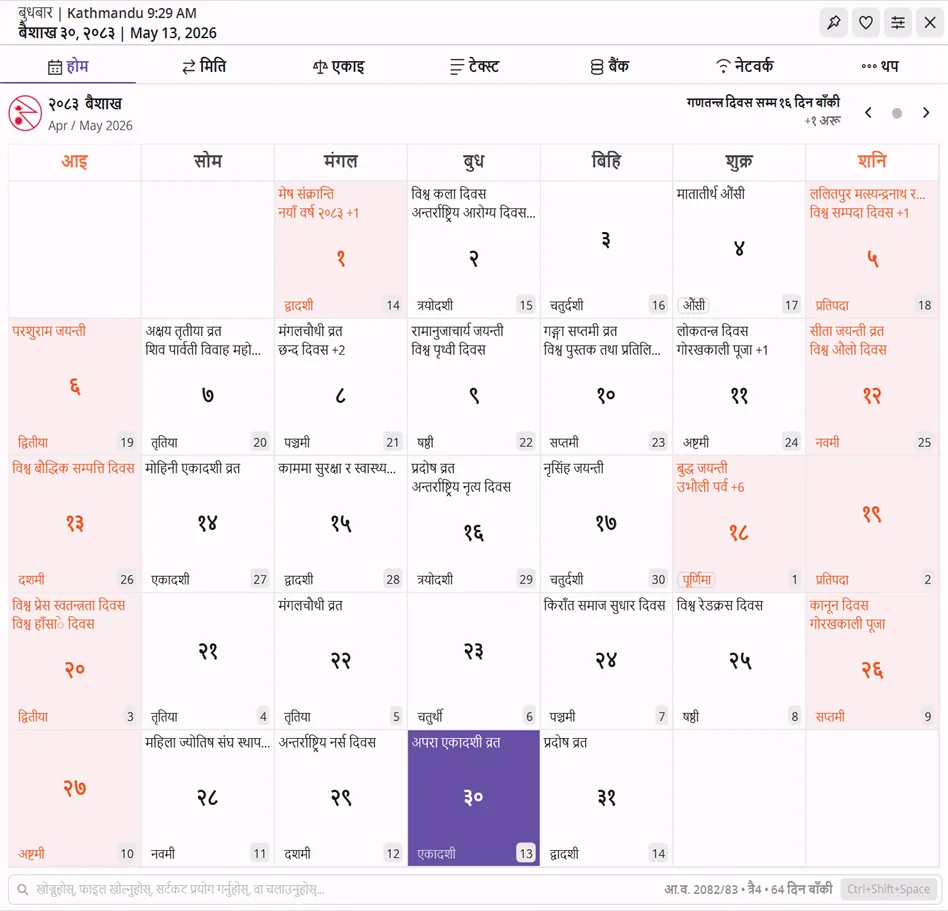
Nepali Calendar bar.
Two compact lines pinned to your taskbar showing today's Bikram Sambat date (currently Nepali Calendar 2083). Each element toggles independently from settings, so you keep only what matters. Click the bar to expand into the full app.
The widget in use.
Click the mini bar, navigate to any tab, or summon RunBox from anywhere with a single keystroke.
Always one click away
The mini bar sits on your taskbar. Click it to expand into the full widget. Right-click from anywhere to jump directly to any tool.
RunBox in action
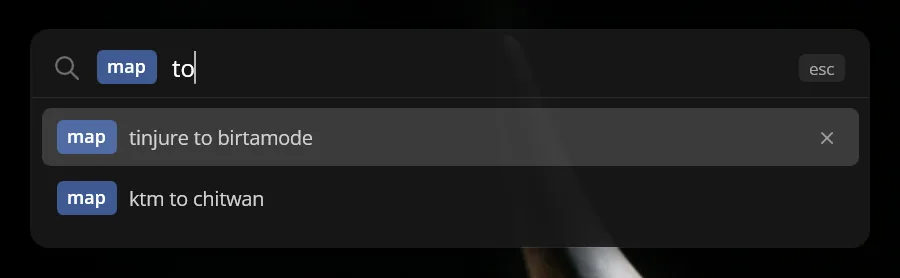
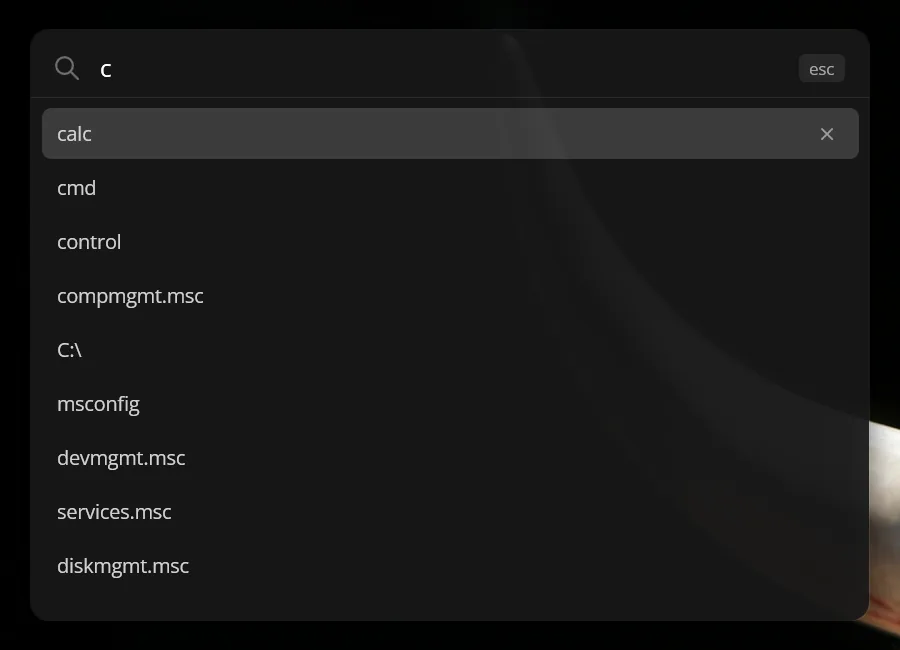
Ctrl+Shift+Space → type a command → done. Search the web, calculate, run scripts - without touching the mouse.
One Nepali Date Converter widget. A lot of ground covered.
Built around the Nepali date converter and Bikram Sambat calendar, but it keeps going - Preeti to Unicode, EMI calculator, networking, text tools, bigha-ropani-tola unit conversion, image tools, and a global command launcher.
English and नेपाली - your choice
The entire UI switches between English and Nepali instantly from Settings. Month names, day names, labels, holidays - everything updates on the fly. No restart needed.
- Every string in the app available in both languages
- Calendar shows BS month names in your chosen language
- Localization stored in editable JSON - add your own translations
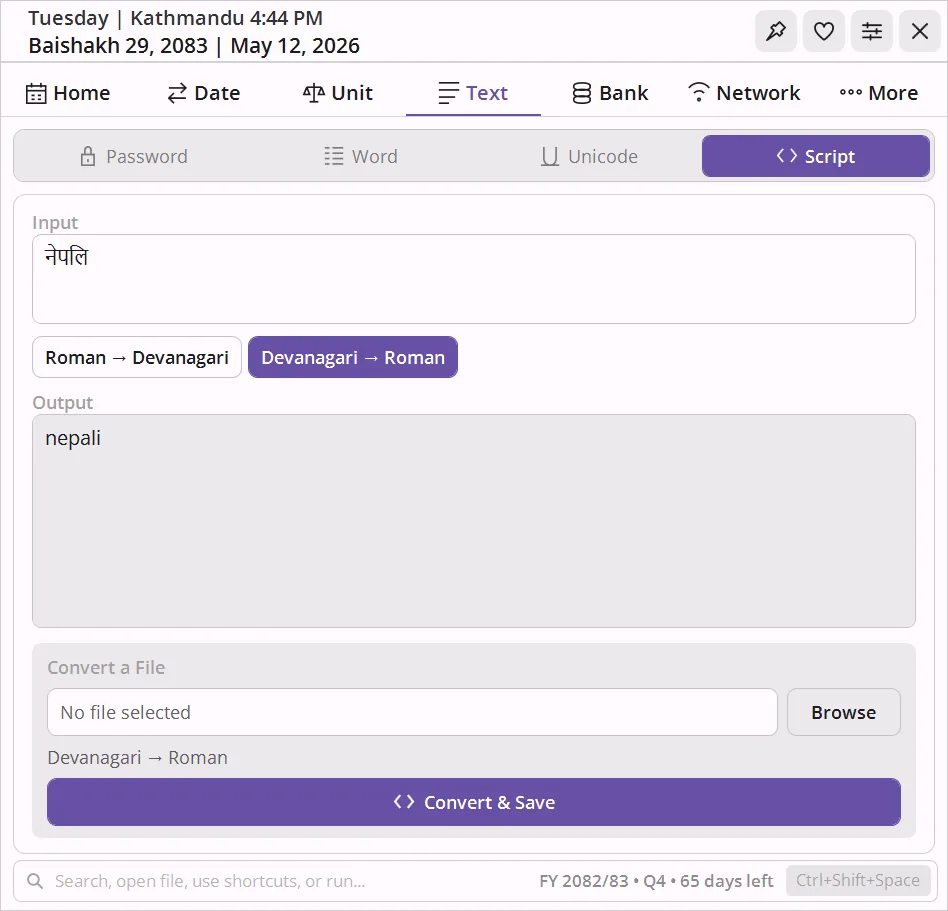
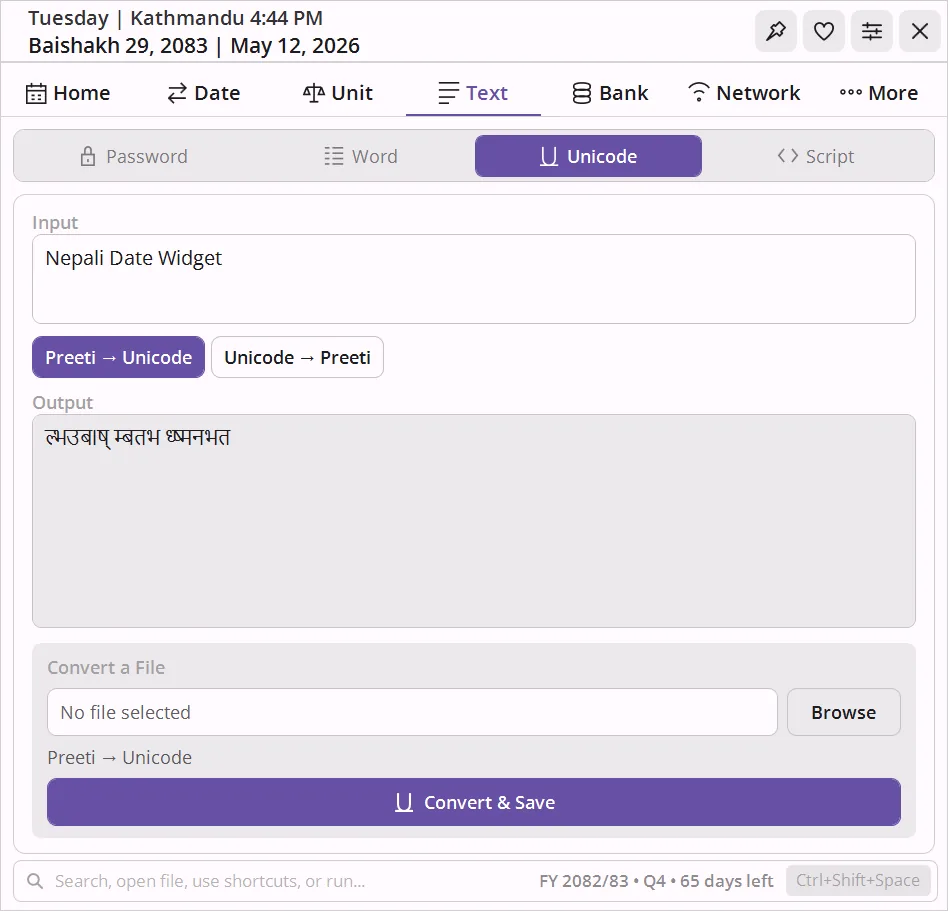
Preeti ↔ Unicode conversion
Drop a .docx or .txt file, pick the direction, and the entire document converts - headers, footers, and font structure intact. Inline mode works too: type on one side, see the result on the other.
- Supports Preeti, Kantipur, Himalaya, Sagarmatha, and 4 more legacy Nepali fonts
- DOCX conversion preserves formatting - no manual cleanup
- Devanagari ↔ Roman transliteration in the same tab
RunBox - a global command bar
Press Ctrl+Shift+Space from anywhere in Windows. Type
yt nepal to search YouTube, = 500*1.13 to
calculate, map pokhara to open maps, or
scr cleanup to run your own script.
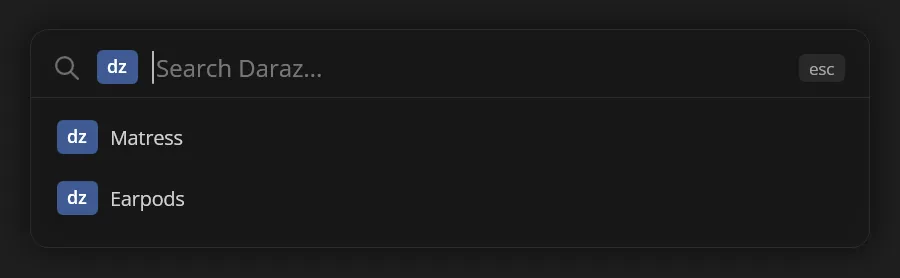
- 22 built-in search prefixes - YouTube, Google, GitHub, DuckDuckGo, Daraz, and more
- History with tab-completion and prefix locking
- Add your own prefixes and scripts in plain JSON
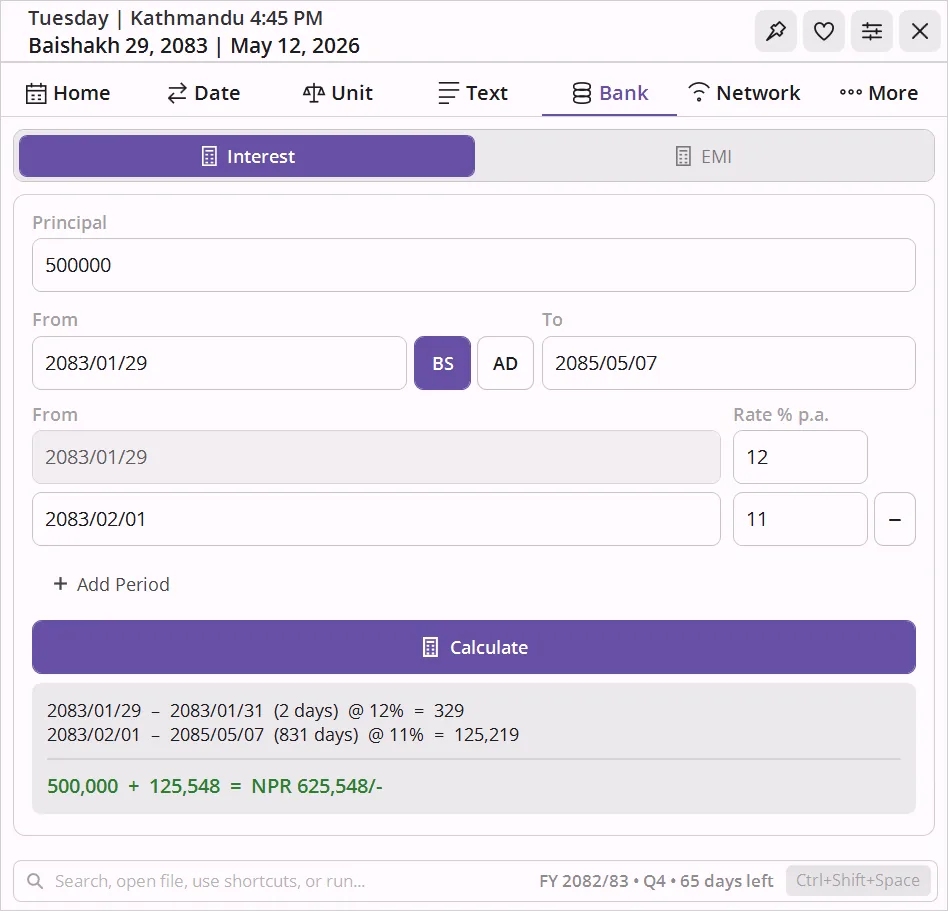
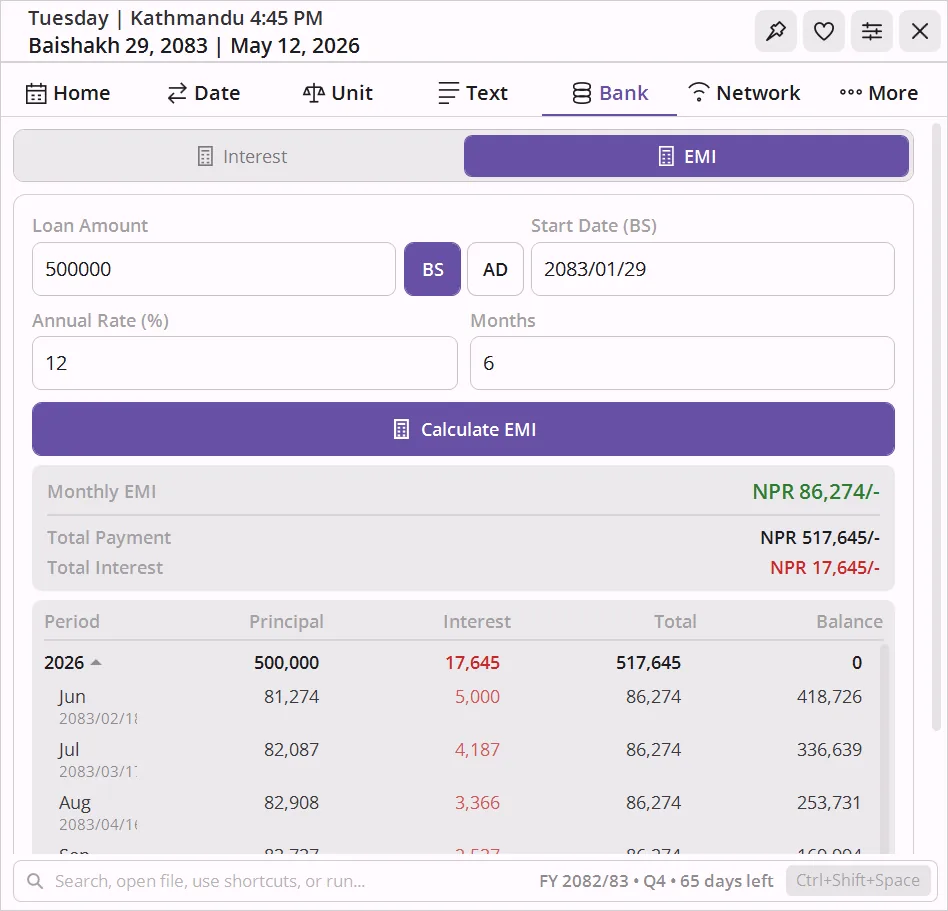
Interest and EMI with BS dates
Simple interest with rate changes across multiple periods, broken down per-row with Bikram Sambat dates. Or enter a loan amount and tenure to get the full EMI schedule - month by month, with reducing balance.
- Multi-period interest: add as many rate-change rows as you need
- EMI amortization table expandable from yearly to monthly detail
- All dates in BS - the format your bank actually uses
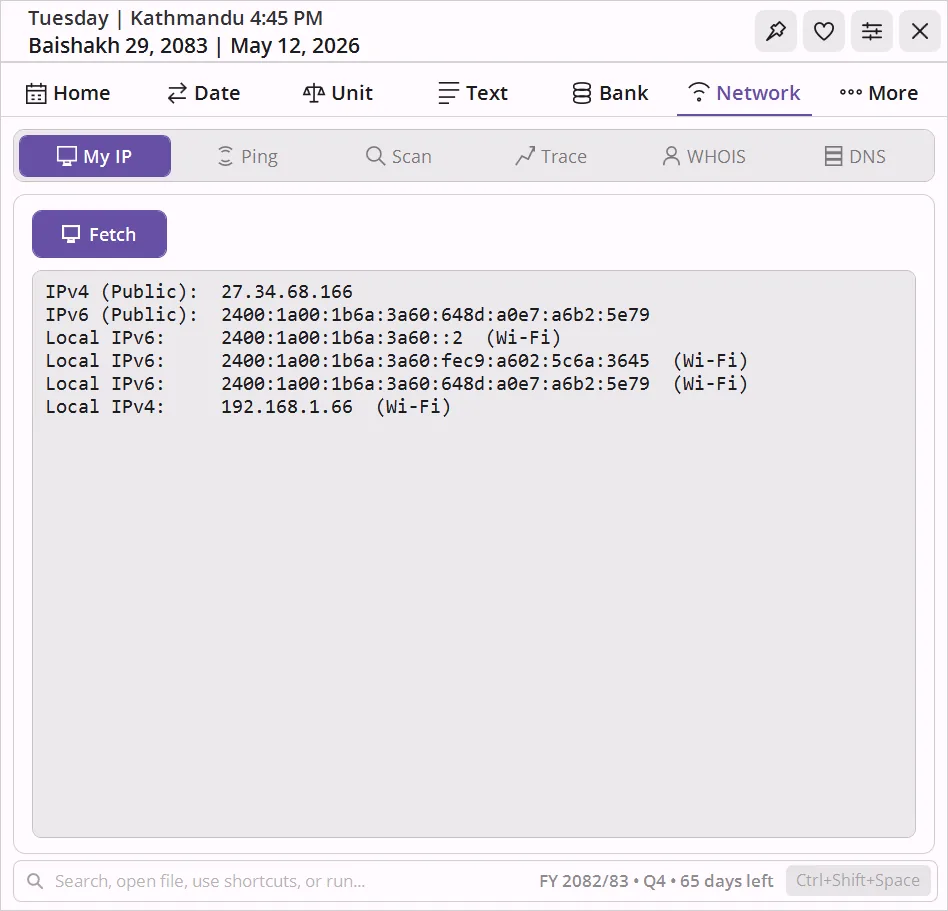
Six network tools, one tab
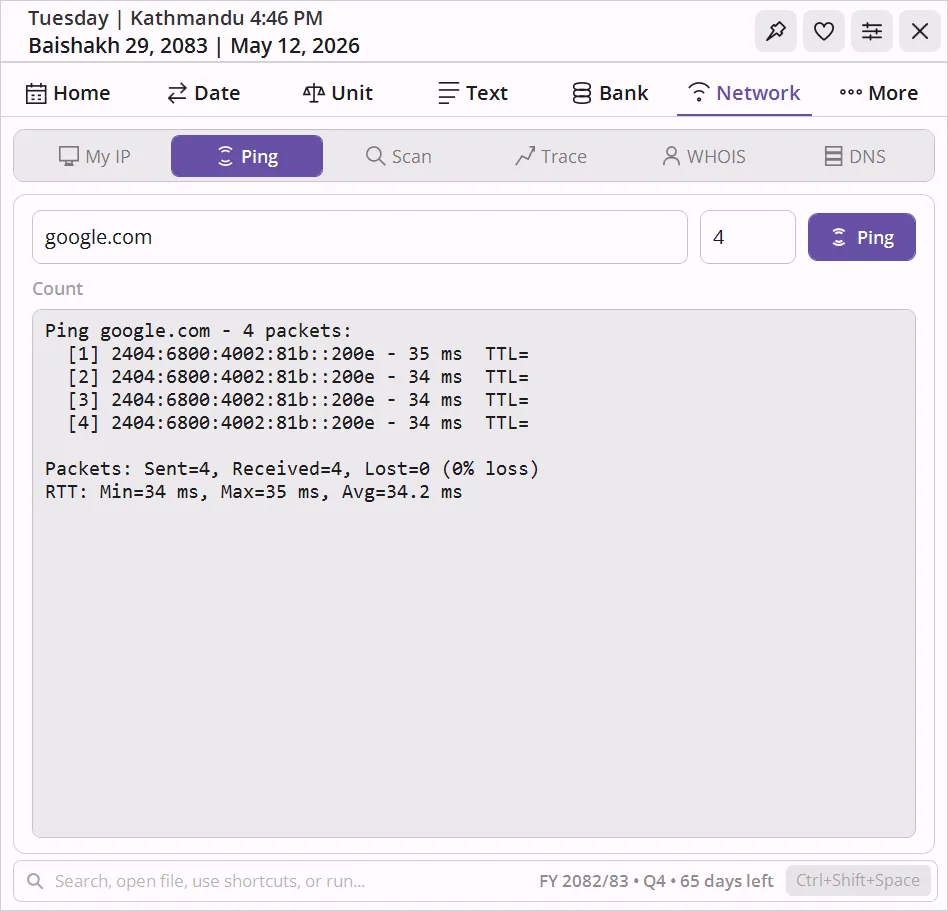
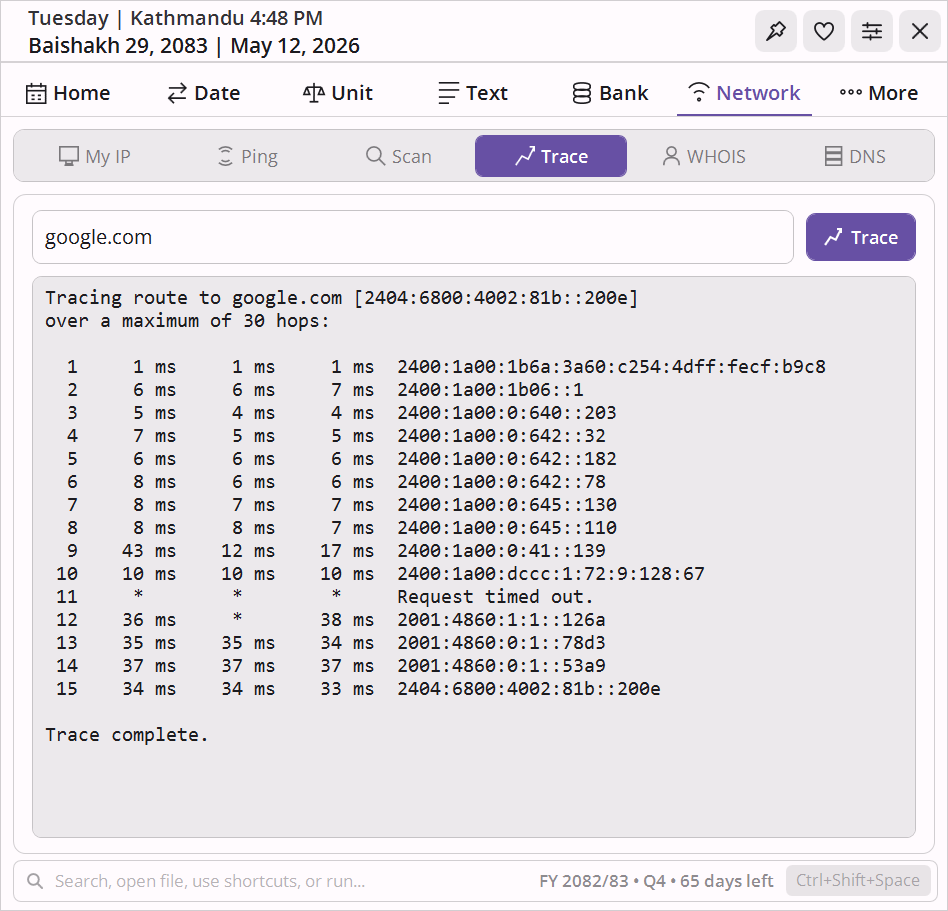
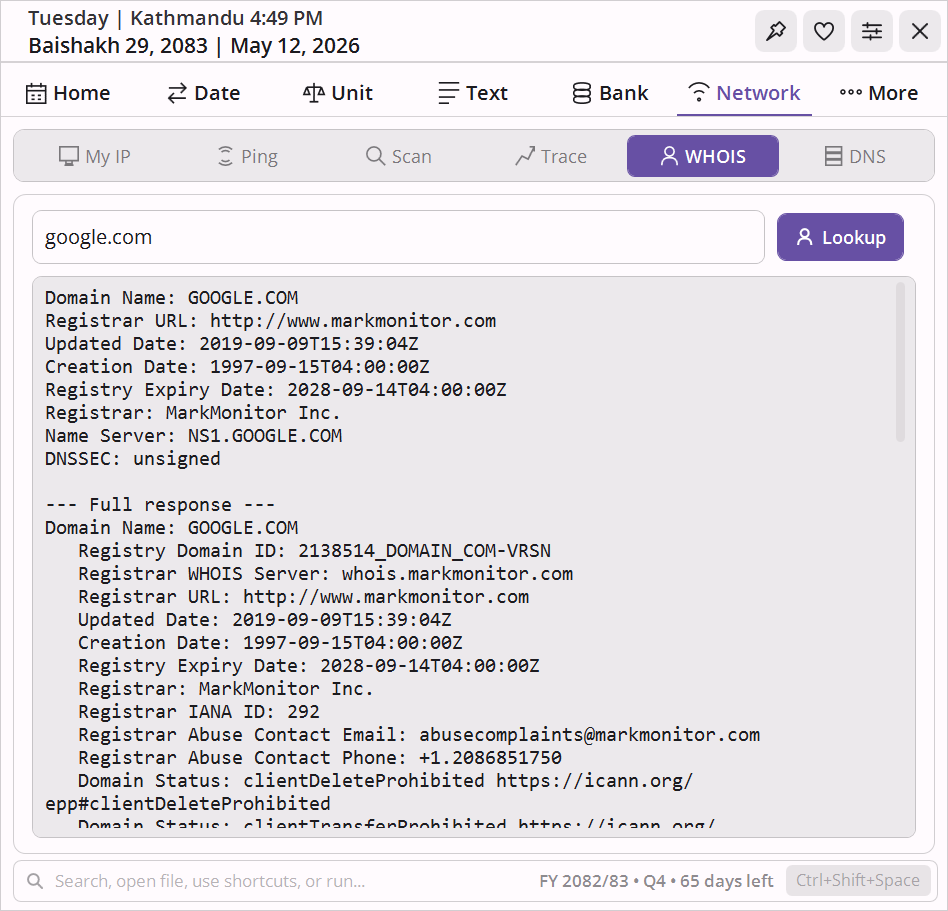
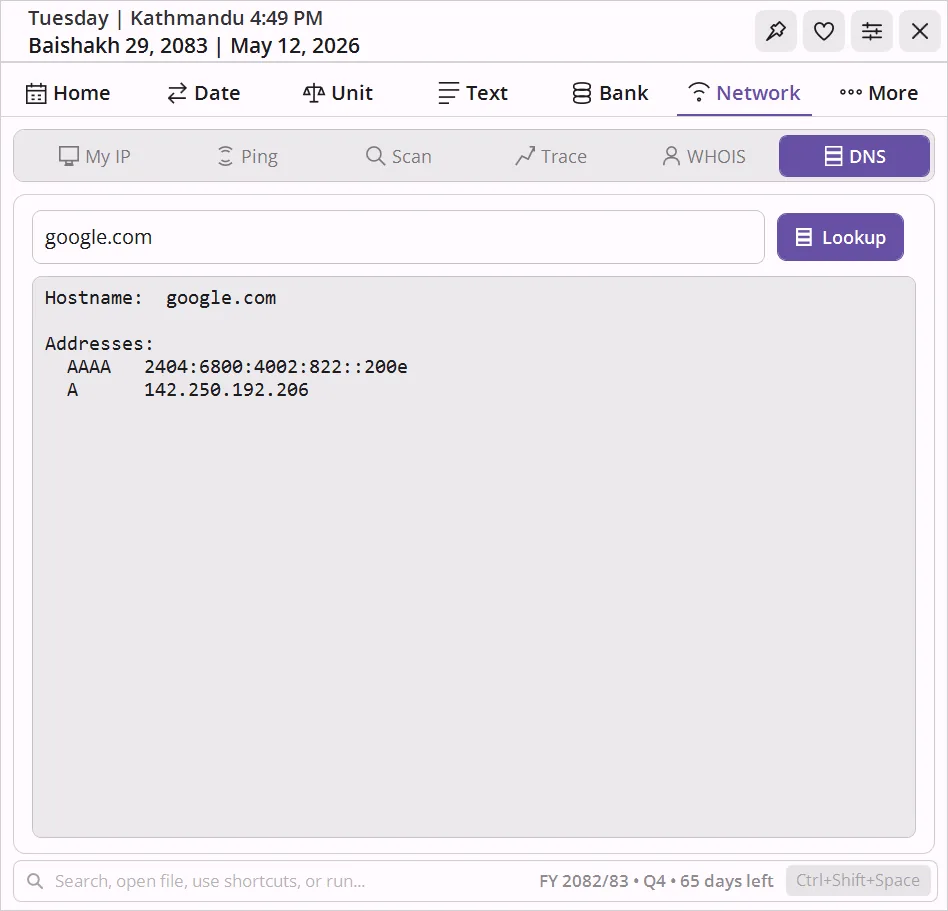
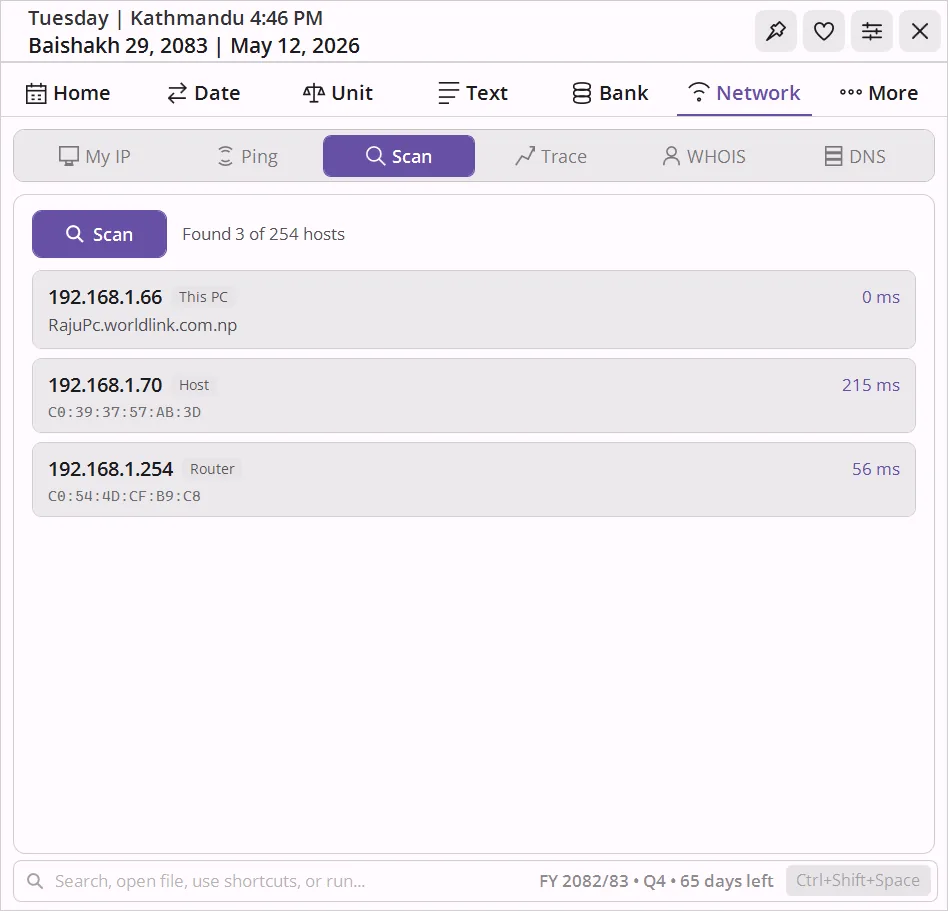
Your public and local IP addresses, ping with RTT stats, LAN subnet scanner with MAC address and manufacturer lookup, traceroute, whois, and DNS - without installing anything extra or needing admin rights.
- Subnet scanner runs 64 parallel pings - finishes a /24 in seconds
- MAC addresses matched against the IEEE OUI database for device identification
- Works offline for local IP enumeration
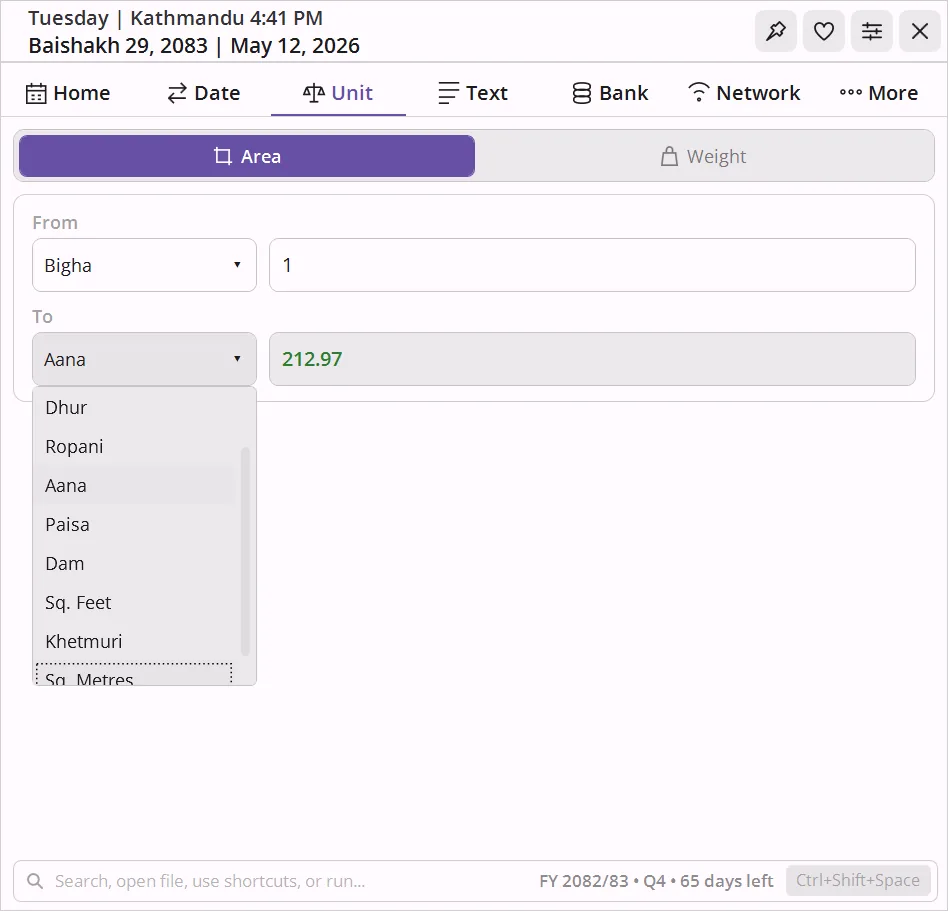
Bigha, Ropani, Dharni, and metric
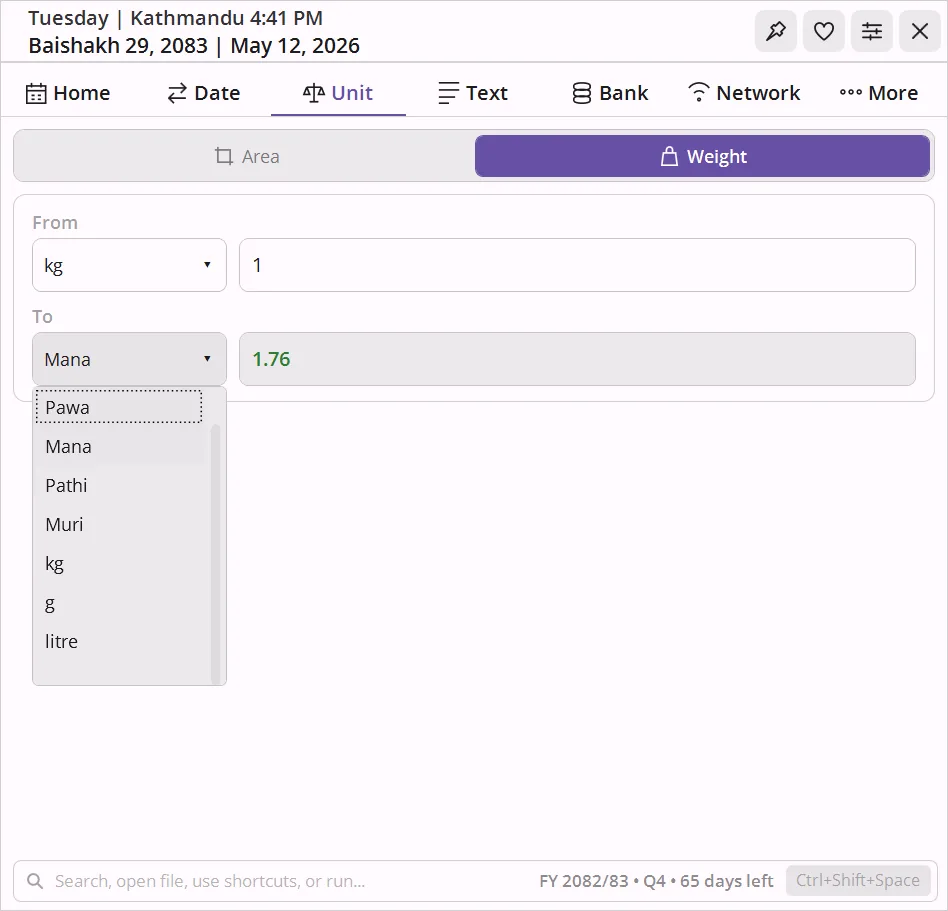
Bigha, Kattha, Dhur for Terai land. Ropani, Aana, Paisa, Dam for hill land. Dharni, Pathi, Muri for traditional weight. Plus metric and imperial - all bidirectional, instant.
- Both Terai and Hill measurement systems side by side
- Traditional weight units as per Nepal Weights - Measures Act
- No button click needed - results update as you type
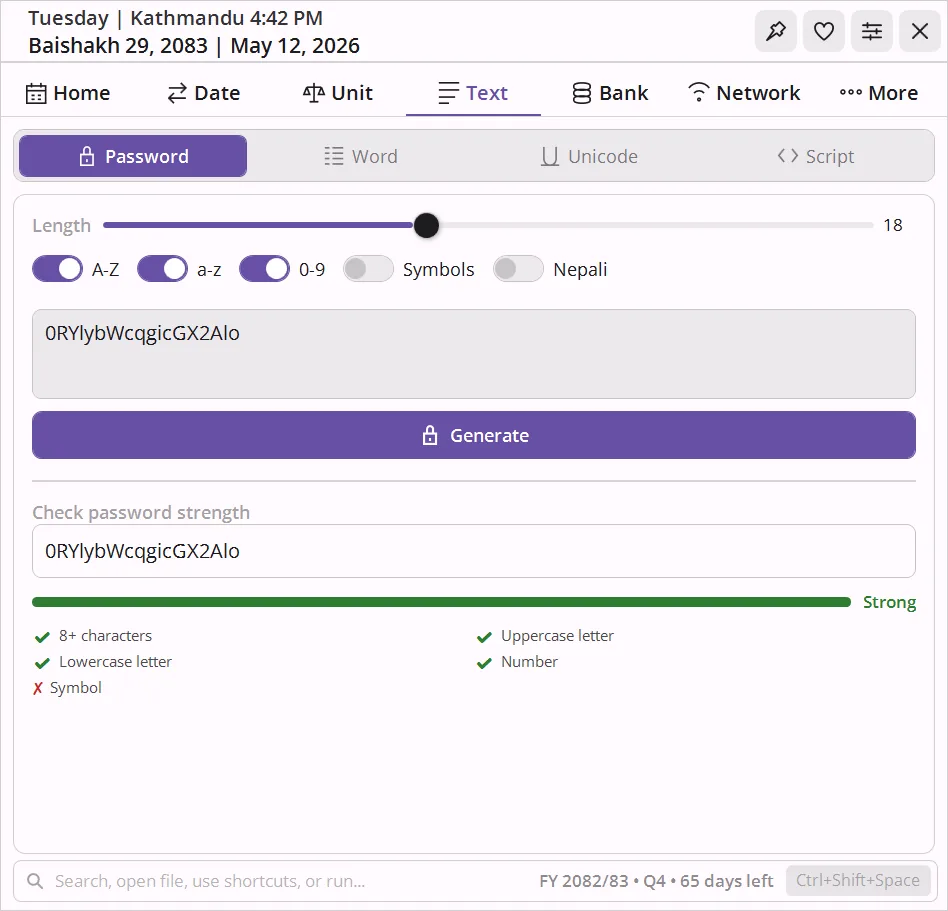
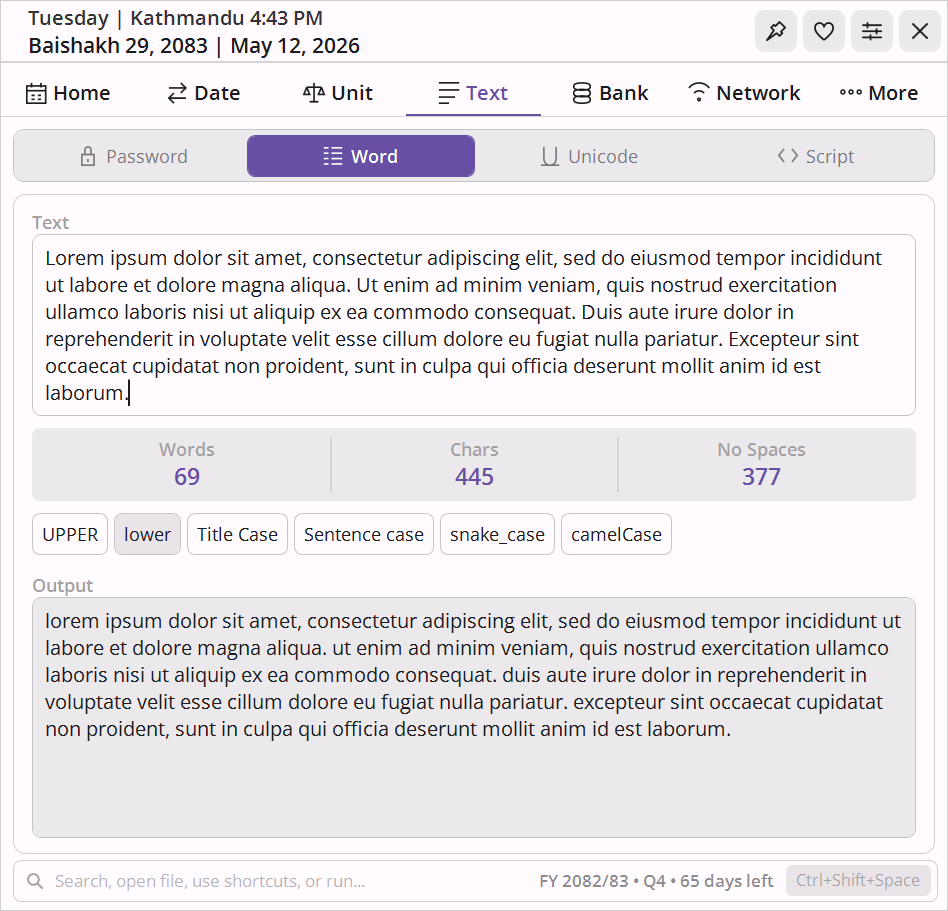
Text tools and password generator
Devanagari ↔ Roman transliteration, word count with six case transformations (camelCase, snake_case, Title Case, and more), and a password generator with Nepali character support and an entropy-based strength meter.
- Cryptographically random password generation
- Word, character, sentence, and line count in one view
- Six text transformations with one-click copy
It's plain text files underneath.
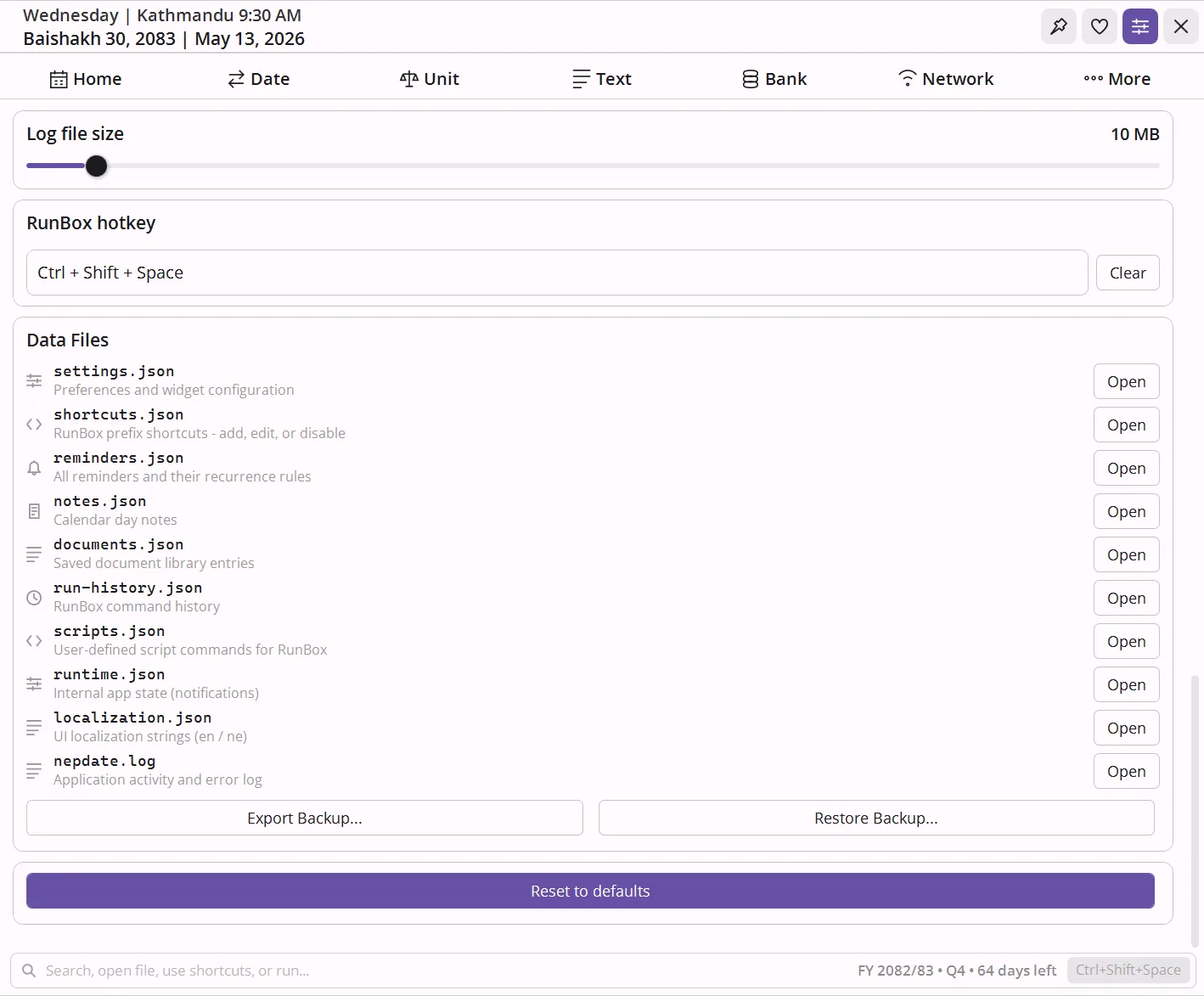
Most users will never need this. But if you want to go further - every setting, every shortcut, every script, every note lives as a plain text file you can open in Notepad. Edit it, save it, done. No menus, no export buttons, no restarts.
Type shop → search Daraz. Type jira → your team board.
Type wiki → your company wiki. Any site. Any keyword.
Stored in shortcuts.json - add a key, a URL with {query}, and
a name. Merges with 22 built-in prefixes. Set "disabled": true to suppress ones you never
use.
Press the hotkey, type scr backup → your backup runs.
scr standup → opens all your morning tabs. From anywhere in Windows, any time.
Defined in scripts.json - name, file path, interpreter (PowerShell,
Python, cmd, WSL). Works with anything your machine can execute. Supports {APPDIR} for
bundled scripts.
Pre-seed your most-used commands so they appear the moment you press the down arrow - on day one, on a new machine. Remove clutter you never want to see again.
Kept in run-history.json - 500 entries, most-recent first. Open it, add or
delete lines, save. Also stores past prefix searches like yt lo-fi beats so they
auto-complete next time.
New computer? Reinstall? Colleagues want your shortcuts setup? One button exports a
dated .zip of everything. One button imports it back - all shortcuts, scripts, notes,
reminders, documents restored instantly.
Settings → Export Backup packs settings.json, shortcuts.json,
scripts.json, notes.json, reminders.json,
documents.json, run-history.json, and localization.json into one
signed ZIP.
Every label in the app - month names, button text, tooltips, error messages - lives in a file you can edit. Add a third language. Fix a translation. Rename a button to suit your workflow.
Stored in localization.json - each key maps to "en" and
"ne" strings. New keys from app updates are merged in automatically; your customizations are
never overwritten.
Have 50 frequently-used documents to register? Don't add them one by one. Build the list in a spreadsheet, convert it to JSON, drop it in - all 50 appear with their tags, notes, and sort order intact.
Stored in documents.json - each entry has title,
tags (array), filePath, notes, and sortOrder. Same
hot-reload as every other file.
The rest of what's in there.
Calendar, date conversion, reminders, notes, documents, ID photo, image tools, timezone converter, holiday countdown, and deep customization - all covered.
BS Calendar - Holidays
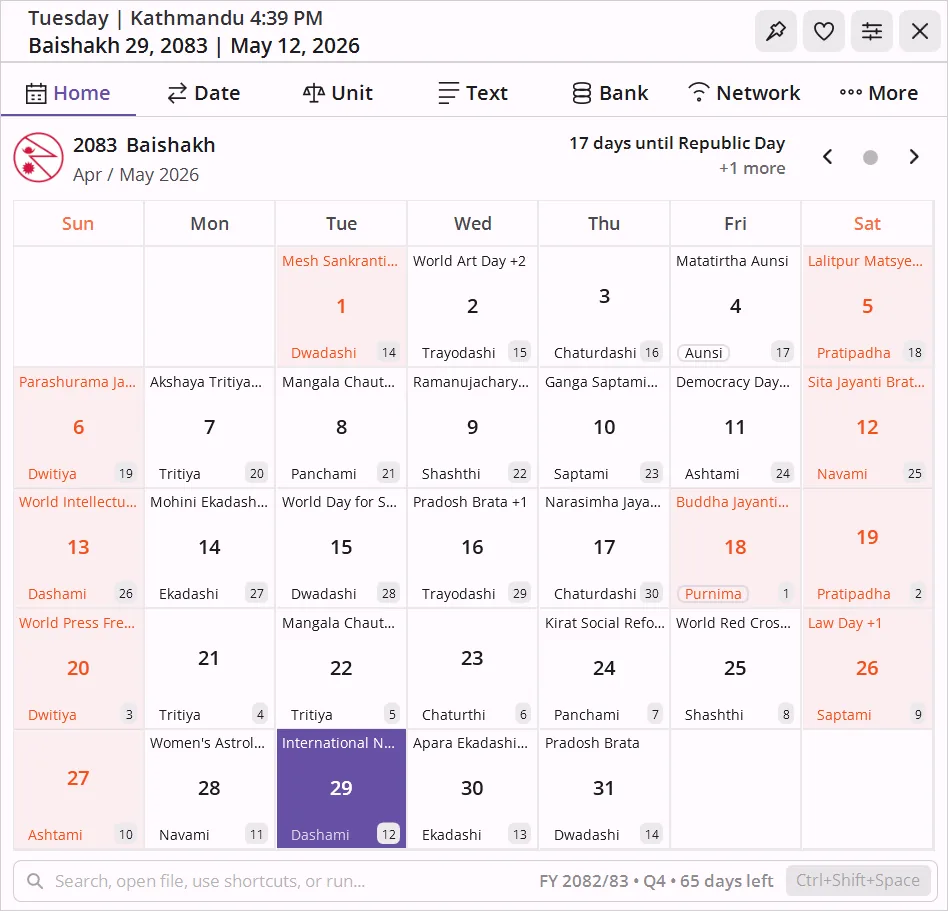
Full Bikram Sambat month grid with tithi, festivals, public holidays, fiscal year, and a live countdown to the next holiday. Supports Nepali Calendar 2083 and all years from 1970 to 2100 BS.
Nepali Date Converter (BS ↔ AD)
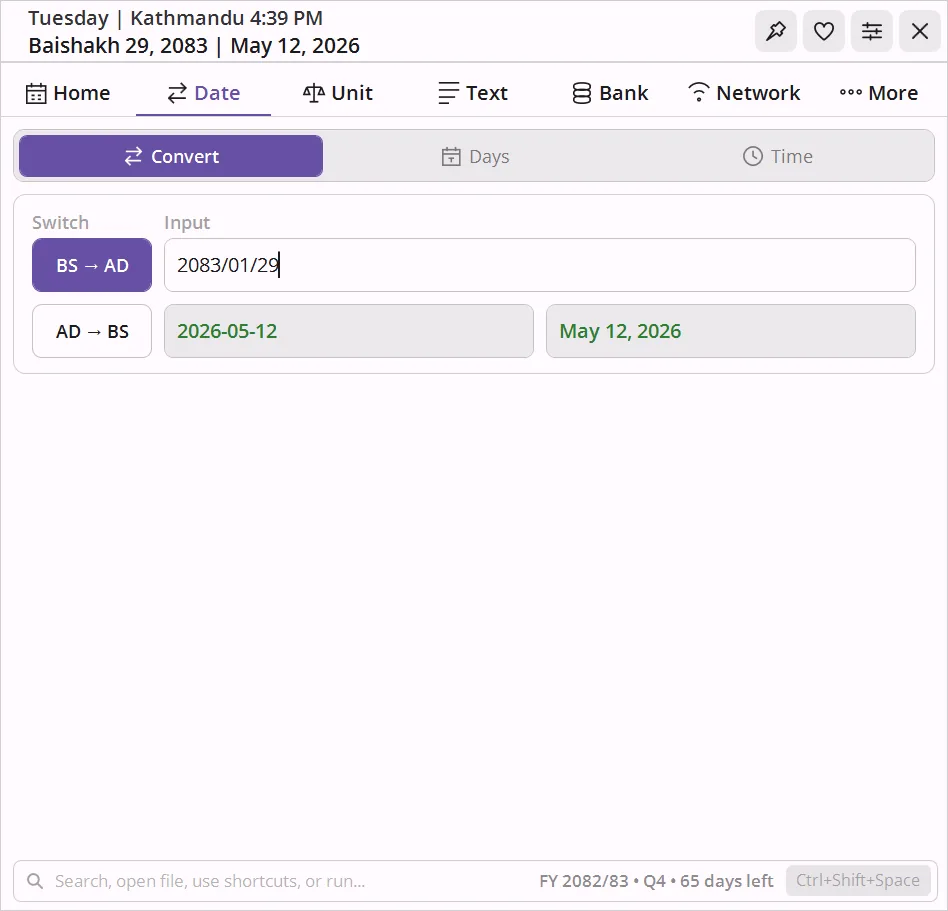
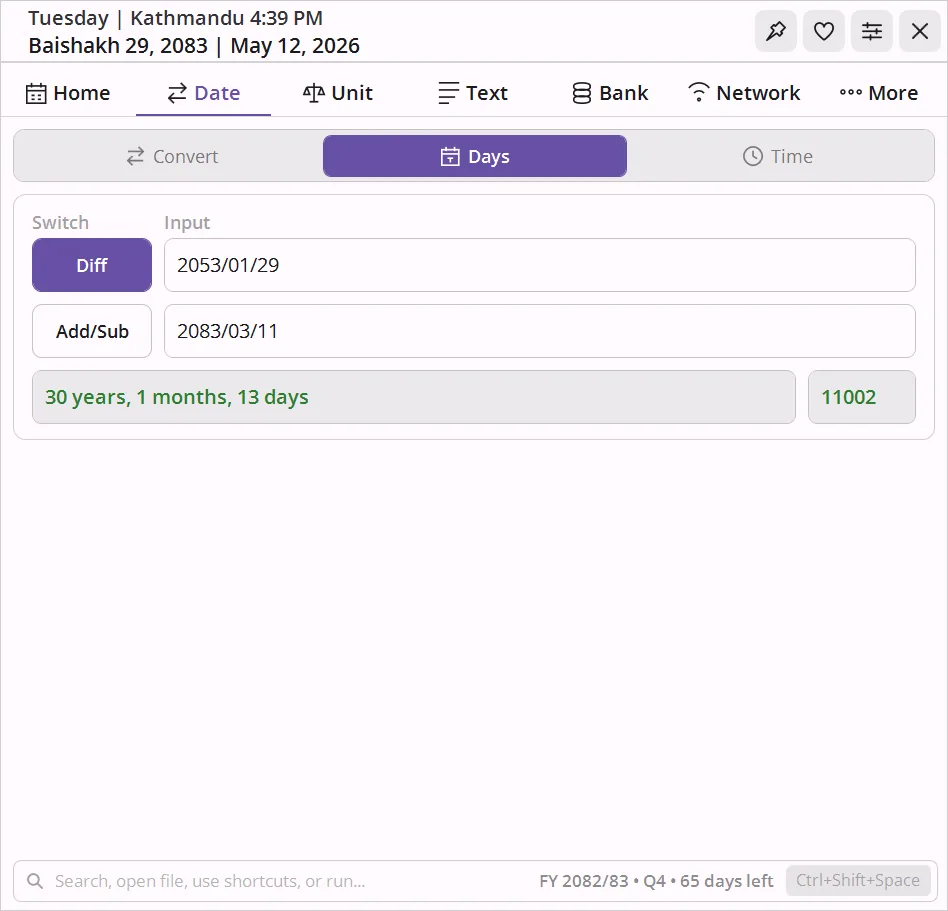
Instant bidirectional Nepali date converter. Convert Nepali date to English date or English date to Nepali date. Accepts Nepali digits, month names, and flexible separators. Add/subtract days, find differences.
Timezone Converter
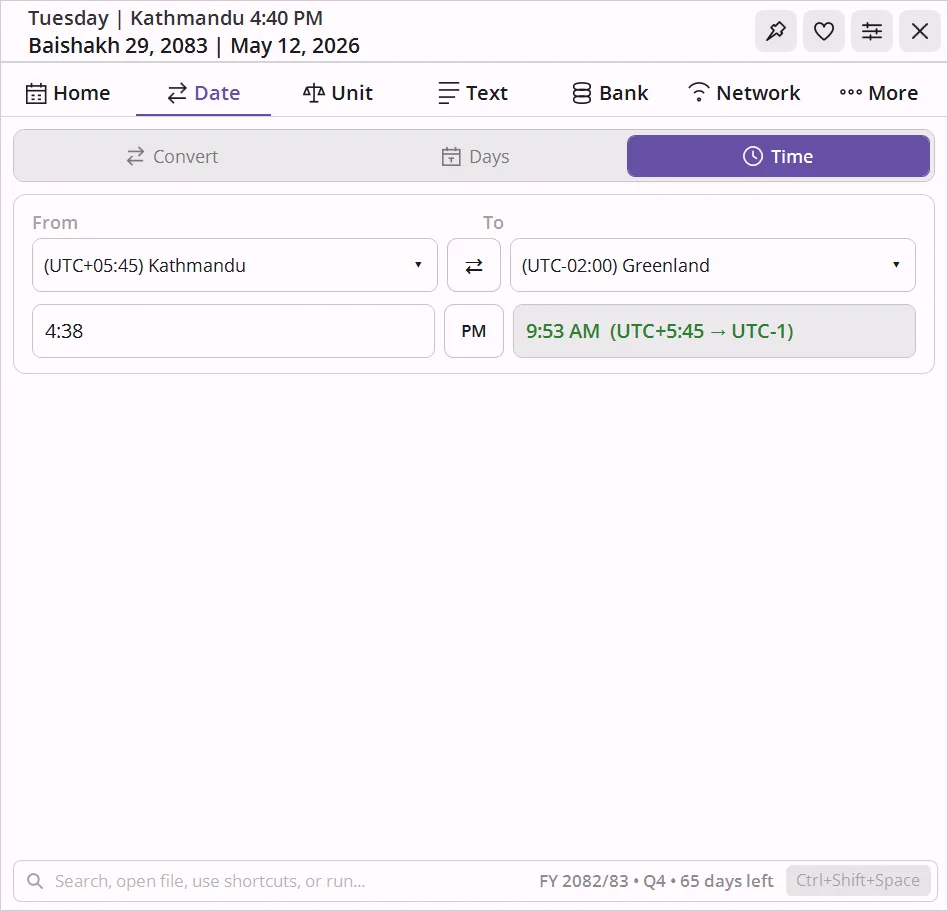
Pick any two system timezones, type a time, and see the conversion. One-click swap button. Handles 12h and 24h input.
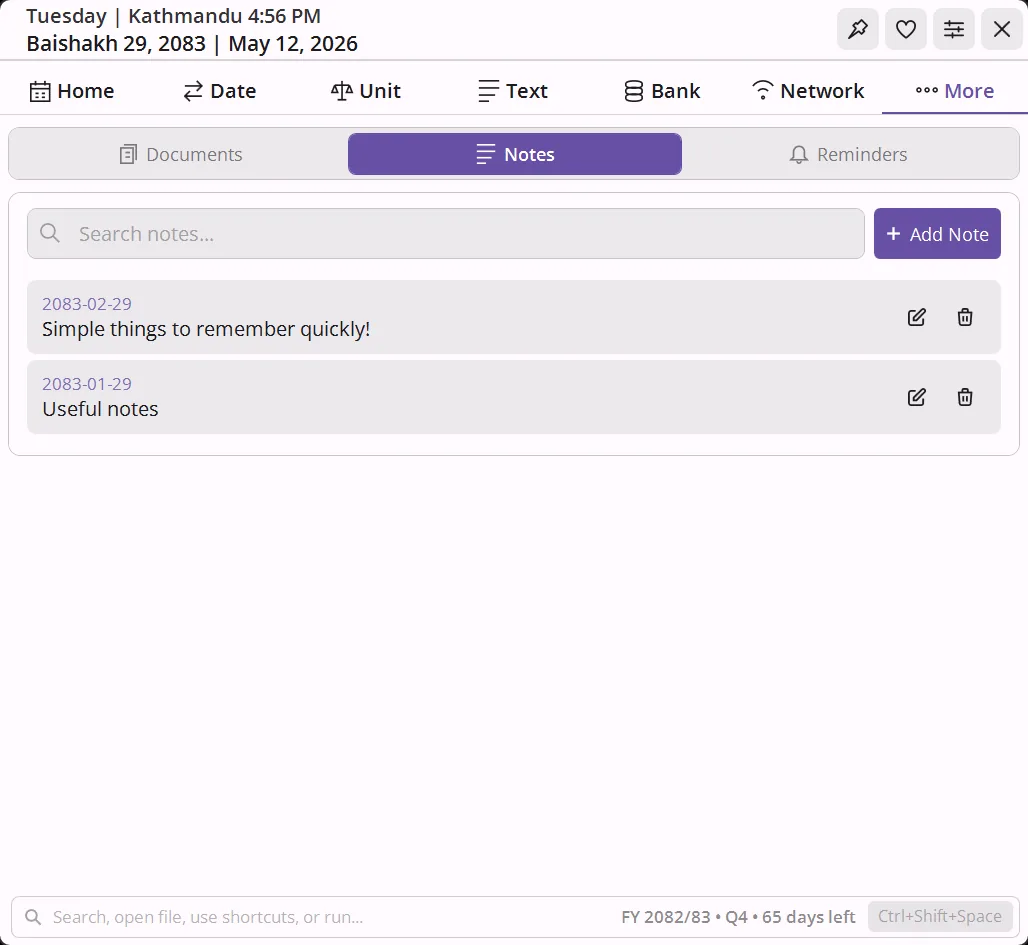
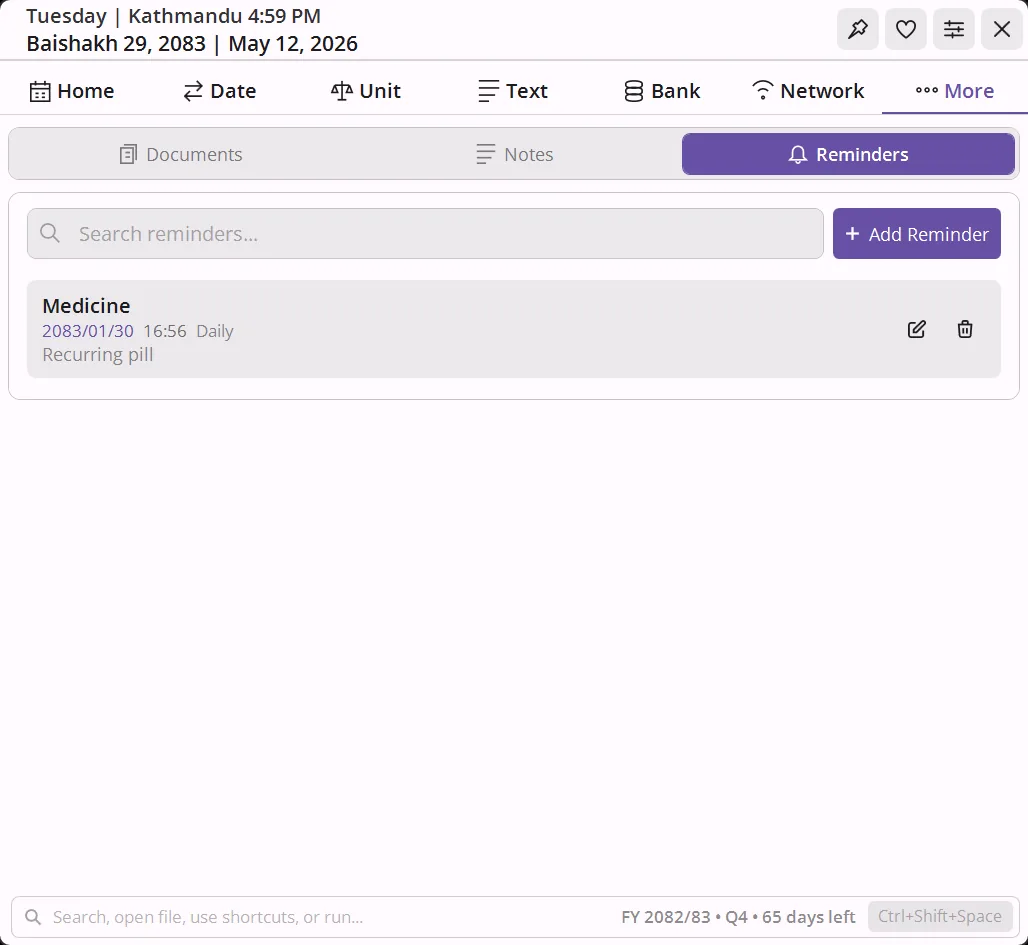
Reminders - Notes
One-shot or recurring reminders pinned to BS dates - daily, weekly, monthly, yearly. Quick notes per day, visible as dots on the calendar.
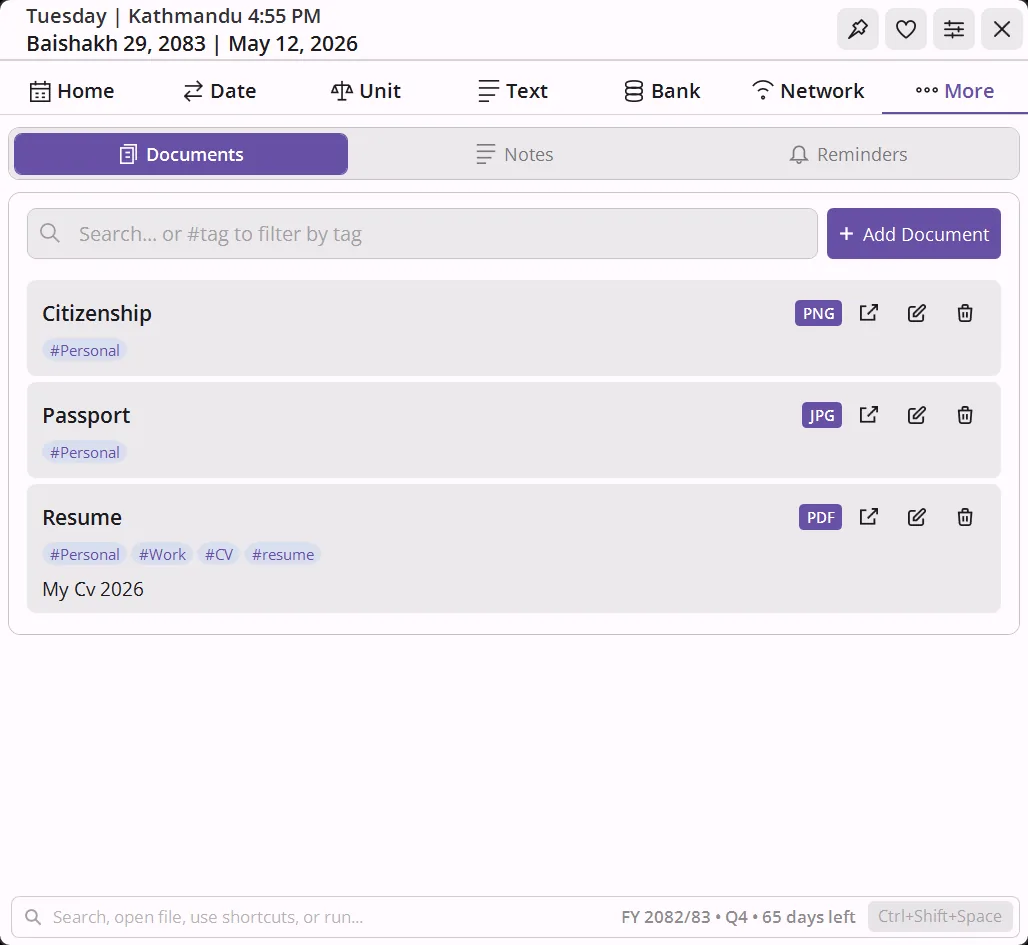
Document Library
Attach and organize local files with tags, notes, and search. PDFs, Word, Excel, images - all metadata stored locally.
ID - Passport Photo
Crop any photo to exact print dimensions - Passport/MRP, Stamp, Auto, US/DV, or fully custom. Tile copies onto an A4, 4R, or any sheet size, print-ready.
Image Compress, Resize - Convert
Batch-process JPEG, PNG, WebP, AVIF, RAW, PDF, and more. Compress with a quality slider, resize to exact pixels, and convert format - any combination in one pass.
20 Themes - 20 Fonts
Dark and light mode with 10 palettes each. 17 bundled fonts plus 3 system fonts. Rounded or sharp corners. No restart needed.
One click to install
Available on the Microsoft Store - per-user, no admin prompt, auto-updates, no telemetry.
%LocalAppData% as readable JSON.
Powered by NepDate
Every BS date, every conversion, every fiscal year calculation in this widget runs on NepDate, the high performance Bikram Sambat library for .NET. Zero allocations, nanosecond conversions, full calendar metadata.

NepDate
Drop-in Bikram Sambat support for any .NET application. Same author. Same quality bar.
Nothing. Free for personal use and source-available under PolyForm Strict 1.0.0. If it saves you time, the Buy me a momo button supports continued development.
Windows 10 and Windows 11 (64-bit, version 1809 or later). The Store version requires a Microsoft account for installation only - the app itself runs with no account.
Almost entirely yes. The calendar, date tools, unit converter, text tools, EMI calculator, RunBox launcher, notes, reminders, and documents all work without internet. The only things that need a connection are My IP, web search prefixes in RunBox (which open your browser), and the Whois/DNS lookups.
Bikram Sambat is Nepal's official calendar system, currently running about 56-57 years ahead of the Gregorian (AD) calendar. Most Nepali government documents, bank statements, and official dates use BS. NepDate Widget shows both calendars side by side and converts between them instantly.
Type any BS (Bikram Sambat) date and it instantly shows the equivalent AD (Gregorian) date - or type the AD date to get the BS date. The converter accepts Nepali digits, full month names, and flexible separators. It also lets you add or subtract days from a BS date and calculate the difference between two BS dates in years, months, and days.
Open the Date tab, select the BS → AD direction, and type the Bikram Sambat year, month, and day. The Gregorian equivalent appears instantly. To go the other way, switch to AD → BS and type the English date.
NepDate Widget's mini bar always shows today's Bikram Sambat date on your taskbar. To convert any specific date, open the Date tab, select AD → BS, and type the Gregorian date - the BS equivalent appears immediately.
No noticeable impact. It's a lightweight WPF app - the mini bar uses negligible CPU when idle. The only background work is checking for due reminders, which runs on a low-frequency timer.
No. It's a per-user install via the Microsoft Store - no UAC prompt, nothing written to system folders. Everything is handled silently.
Updates are delivered automatically in the background by the Microsoft Store - you don't need to do anything.
NepDate is a .NET library developers embed in their own apps. NepDate Widget is the end-user desktop app - it uses NepDate internally for every BS date calculation.
No. Zero telemetry, no analytics, no account. The only outbound calls happen when you explicitly use a network tool (My IP, ping, scan, whois, DNS) or open a RunBox web search. Everything else stays on your machine.
All data lives in your user profile under %LOCALAPPDATA%.
Settings, notes, reminders, documents, shortcuts, and run history are all plain JSON files there.
Yes - just copy the AppData folder. Everything is plain JSON, so you can also edit individual files directly, merge data from another machine, or version-control your configuration.
Yes. The global hotkey (Ctrl+Shift+Space by default) summons RunBox from anywhere in Windows - even when the widget is collapsed or the window is not visible. You never need to click the mini bar first.
Yes. Search prefixes live in shortcuts.json and custom scripts in
scripts.json in your AppData folder. Add, edit, or delete entries - changes take
effect immediately, no restart needed. You can import entries from other sources by following the
same JSON structure.
PowerShell, batch files, cmd scripts, Python, and WSL - anything your machine can execute. Point
the entry at the file path and assign a keyword. Use {APPDIR} in paths to reference
scripts bundled with the app itself.
Yes. Switch the entire UI between English and नेपाली instantly from Settings - no restart. All labels, month names, day names, and strings update on the fly. The localization file is a plain JSON you can edit.
Quite a bit. 20 color presets (10 light, 10 dark), 20 font choices, rounded or sharp corners, optional transparency when collapsed, and per-element calendar toggles (tithi, holidays, English day numbers, Saturday/Sunday highlights, and more).
GitHub Issues. Pull requests are welcome too.
Yes. The Bikram Sambat calendar covers all years from BS 1970 to BS 2100 (AD 1913 to 2043). Navigate to any past year - 2078, 2079, 2080, 2081, 2082 - or any future year up to 2100, with tithi, public holidays, and festivals shown for each month.
A BS to AD converter translates Bikram Sambat dates to Gregorian (English) dates. If you deal with Nepali government documents, bank statements, academic certificates, or any official paperwork, you regularly encounter BS dates that need converting to AD for international forms, travel bookings, or communication with people outside Nepal. NepDate Widget does this conversion instantly and offline from your Windows taskbar.
Yes. NepDate Widget's Text tab includes a Preeti-to-Unicode converter supporting 8 legacy Nepali font encodings - Preeti, Kantipur, Himalaya, Sagarmatha, and four more. Paste Preeti-encoded text and Unicode Devanagari output appears instantly. Conversion also works in reverse (Unicode to Preeti) and handles full .txt and .docx document files. The app interface itself is available in Nepali (नेपाली) - switch language from Settings instantly with no restart required.
Yes. NepDate Widget's Nepali date converter is built for this. Type a Bikram Sambat date from a lalpurja (land deed), court document, bank statement, tax notice, or academic certificate - the Gregorian equivalent appears instantly, or the reverse. Supports BS 1970–2100, accepts Nepali digits, and works entirely offline so you are never dependent on an internet connection during document work.
BS (Bikram Sambat) is Nepal's official calendar, running approximately 56 years and 8 months ahead of the Gregorian (AD) calendar used internationally. Both are solar calendars, but BS months have irregular lengths (29–32 days) defined by a fixed lookup table - not a formula. Nepal uses BS for all official documents: government forms, bank statements, income tax filings, property deeds, court records, and academic certificates. As of May 2026 AD, the current Nepali year is BS 2083. NepDate Widget converts between the two systems instantly and offline.
Support NepDate Widget
If the widget saves you time every day, consider chipping in a momo. It keeps NepDate and NepDate Widget free, ad-free, and actively maintained.
Buy me a momo