
Nepali Calendar for Windows - Every Tool, Every Tab.
NepDate Widget is the free Nepali Patro (Nepali calendar) and date converter for Windows, organized into seven tabs. Each one focuses on a single workflow so the UI stays uncluttered. Convert BS dates to AD, calculate loan EMI, convert Preeti to Unicode, check your IP, convert bigha to ropani, generate passwords, and more. Right-clicking the widget anywhere opens a quick-access menu to any tool. RunBox is a separate global launcher - press the configurable hotkey from anywhere in Windows to run a command without opening the widget at all.
Two lines on the taskbar. Everything else one click away.
The mini bar sits above or alongside the taskbar, always readable and never in the way. Click it to expand the full widget. Right-click from anywhere to jump directly to any tool without opening the full UI.
Mini Bar
The collapsed widget sits where your taskbar would, showing the current Bikram Sambat and Gregorian date and time. Two configurable lines that you can tailor down to just what matters.
- Time row with 12h / 24h clock, timezone label, and UTC offset
- Date row with day of week, BS date, and AD date
- Each element toggles independently from Settings
- Click anywhere on the bar to expand the full app

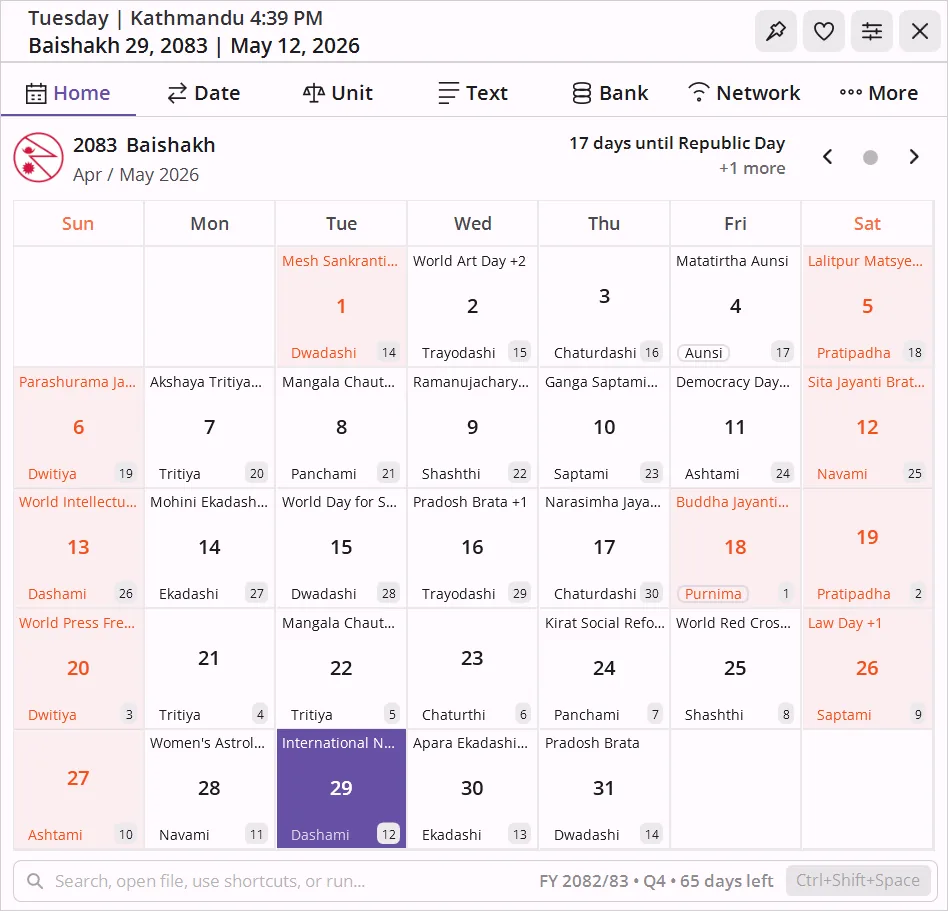
Bikram Sambat month grid
A full BS month with the matching English day numbers shown alongside each cell, plus tithi, public holidays, and festivals highlighted. Today is marked with your accent color, and the footer shows the current fiscal year and quarter. The header also surfaces a live countdown to the next public holiday so you always know how far away Dashain or Tihar is.
- Navigate with arrow buttons or mouse wheel
- One-click Today jumps back to the current month
- Upcoming holiday countdown right in the header (toggleable, hover for the next year of holidays)
- Right-click any cell to copy the date in four formats (BS, BS long, AD, AD long)
- Days with a note show a colored dot; days with a reminder show a red dot - both appear when a day has both
- Click any day to open a popup showing its note and reminders - edit or delete each item inline without opening the More tab
- Daily events notification on the first launch of each day, listing today's festivals and observances
- Tithi and festival data sourced from authoritative BS calendars
Nepali Date Converter - Convert BS to AD and AD to BS Instantly.
Three tools in one tab: instant Nepali date conversion (BS ↔ AD) in both short and long formats, a days calculator for adding or finding the gap between BS dates, and a two-way timezone converter with labeled UTC offsets.
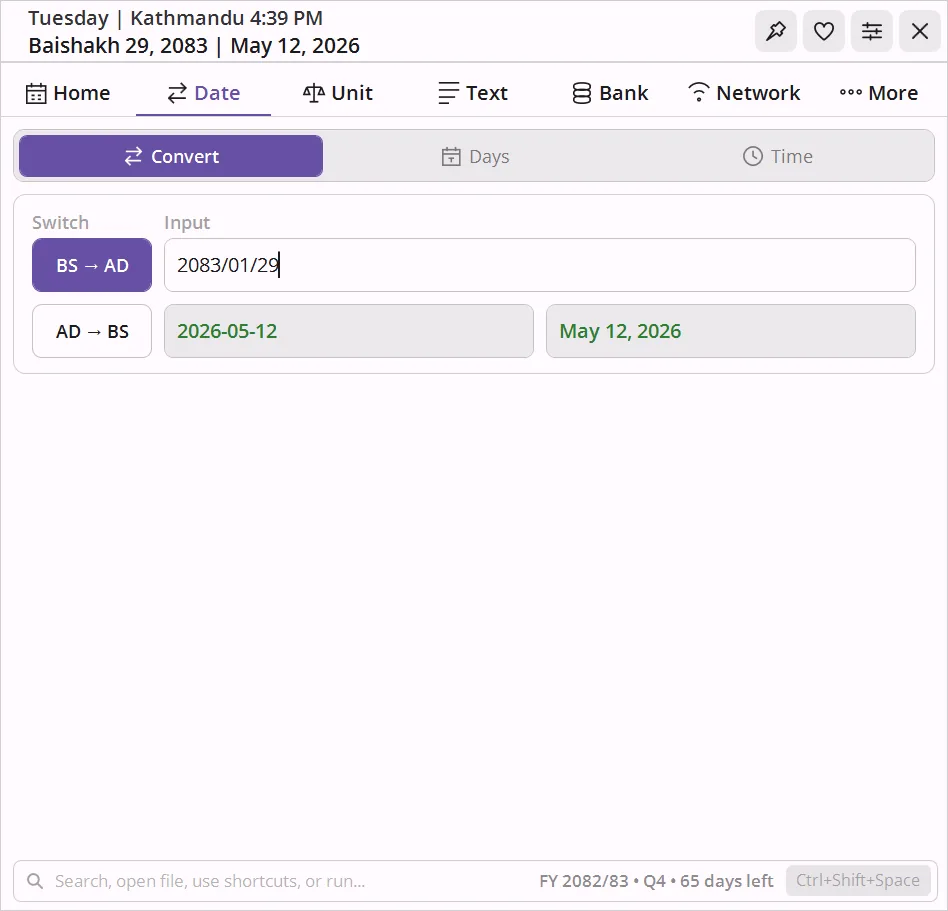
BS ↔ AD conversion
Type a Nepali (BS) date and instantly get the AD equivalent - or the reverse. The Nepali date converter supports BS years 1970-2100 (AD 1913-2043), accepts Nepali digits (१,२,३) and English digits, full or short month names, and flexible separators (slash, dash, or dot). Both short and long formats are shown. The widget remembers the last direction so you pick up where you left off.
- BS year range: 1970-2100 · AD range: 1913-2043
- Accepts Nepali digits (१,२,३) and English digits (1,2,3)
- Short format: 2081-01-01 · Long format: Baishakh 1, 2081
- Flexible separators: slash (/), dash (-), or dot (.)
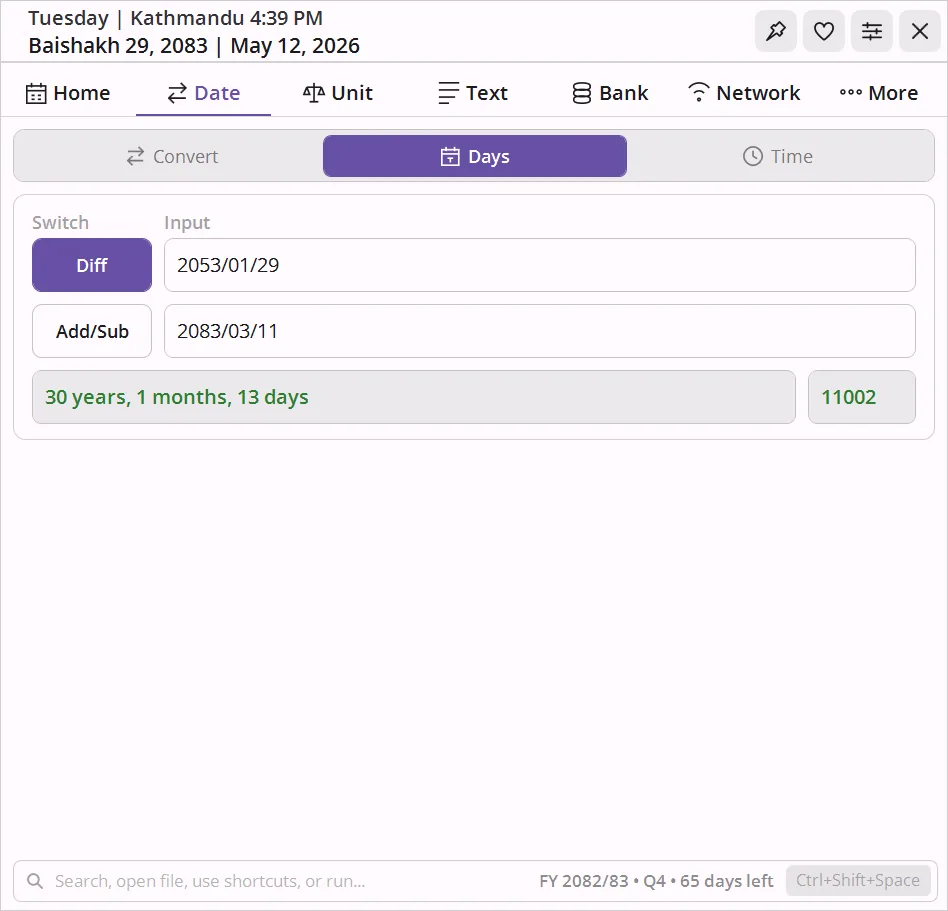
Add, subtract, and difference
Add or subtract any number of days from a BS date and get the result instantly. Or enter two BS dates and see the gap broken down into years, months, days, and total raw days.
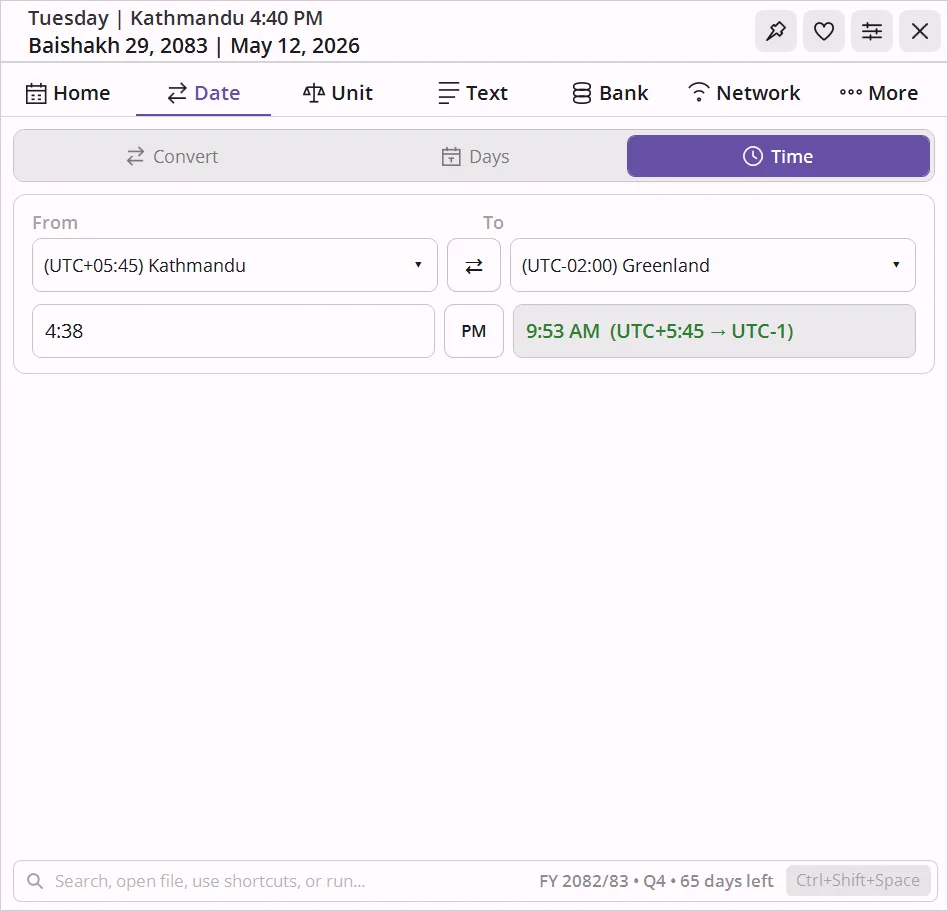
Timezone converter
Compact labeled dropdowns like Nepal +05:45 and Singapore +08:00.
Pick any two system timezones, type a time, and the conversion appears instantly. The
Swap button reverses direction in one click.
Bigha to Ropani, Tola to Gram - Local Nepali Unit Converter.
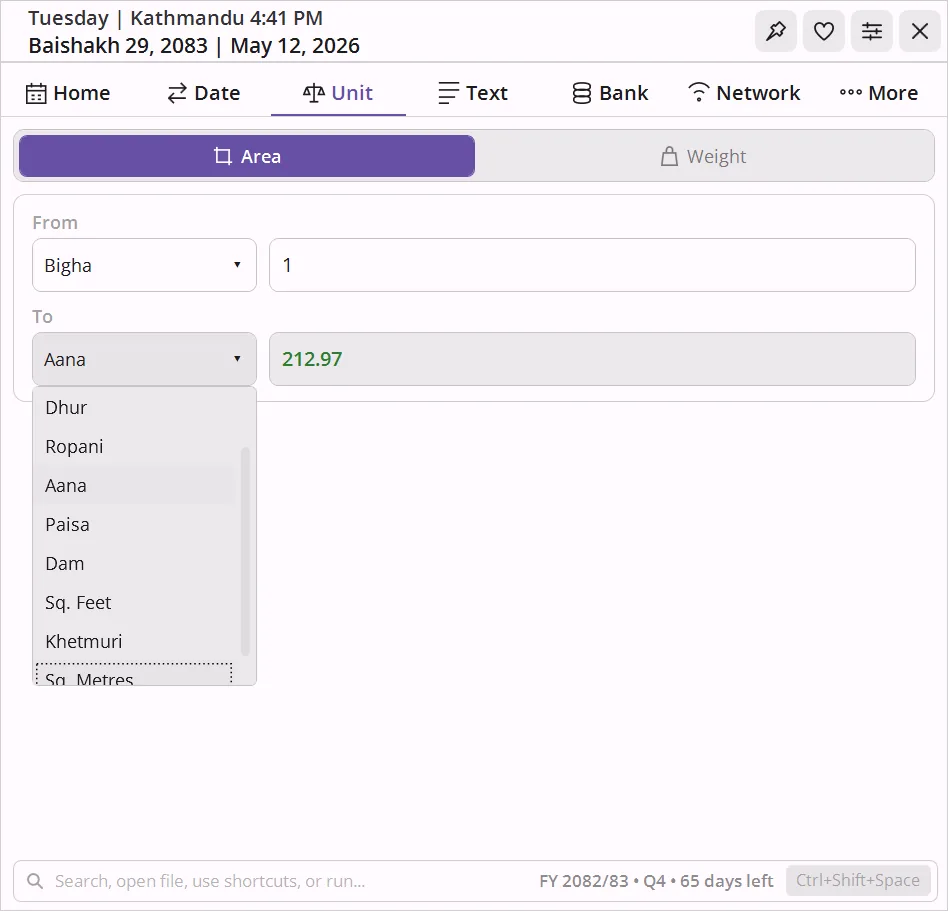
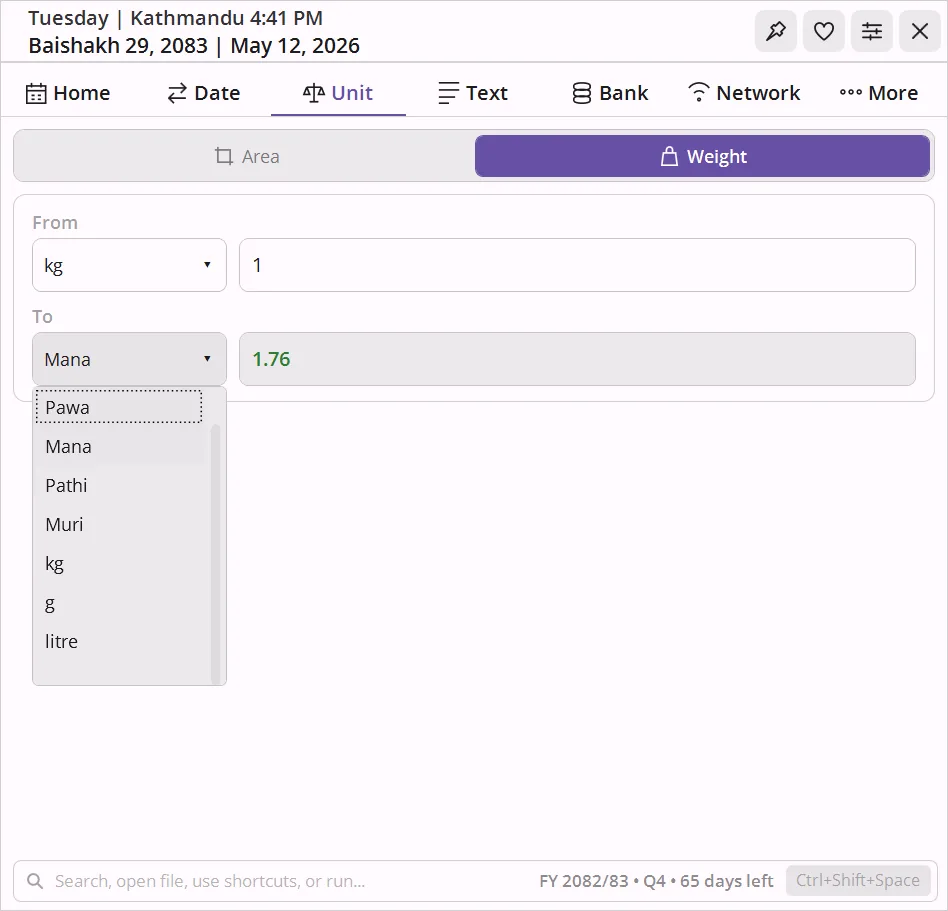
Two modes in one tab: land area conversion between bigha, kattha, dhur, ropani, aana, paisa, dam, and metric/imperial, plus weight conversion including tola, gram, kg, dharni, pawa, mana, pathi, and muri. Uses standard Nepal Weights - Measures Act values.
Bigha, Kattha, Dhur, Ropani, Aana, Paisa, Dam, Khetmuri
Convert between traditional Nepali land area units and Sq. Metres and Sq. Feet. Includes Khetmuri, the Terai synonym for Kattha used across many districts. Pick From and To, type the value, get the result.
Dharni, Pawa, Mana, Pathi, Muri, Tola - local, metric - imperial
13 units in one converter: traditional Nepali units (Dharni, Pawa, Mana, Pathi, Muri, Tola), metric (kg, g, mg, tonne, litre), and imperial (lb, ounce). Convert tola to gram, gram to tola, tola to kg, kg to tola, and ounce to tola using standard Nepal Weights - Measures Act values.
Preeti to Unicode Converter, Password Generator - Word Count.
Four utilities in one tab. Convert Preeti font encoding to Unicode Devanagari (and back), generate strong random passwords with live strength feedback, count words and characters in both Nepali and English, and convert between Devanagari and Romanized scripts - all with file support where it matters.
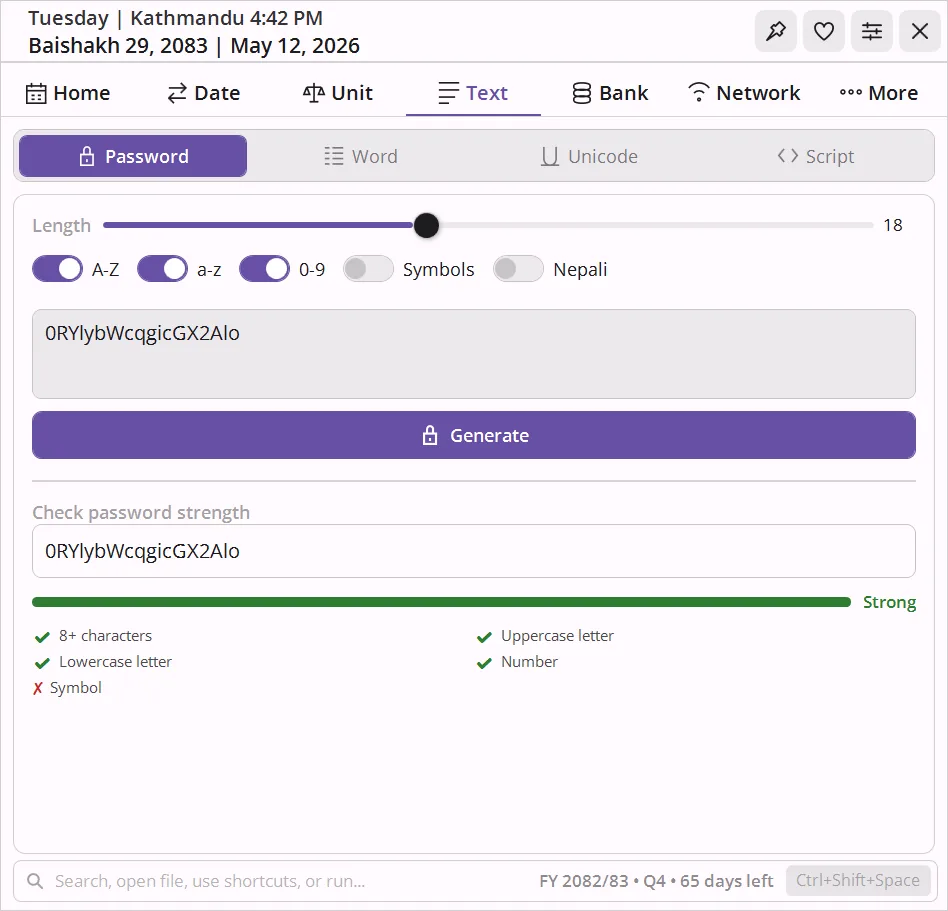
Generator with live strength meter
Adjustable length, with toggles for A-Z, a-z, 0-9, symbols, and Nepali characters. Paste any password into the strength checker for live feedback against the standard rules.
Word and character count
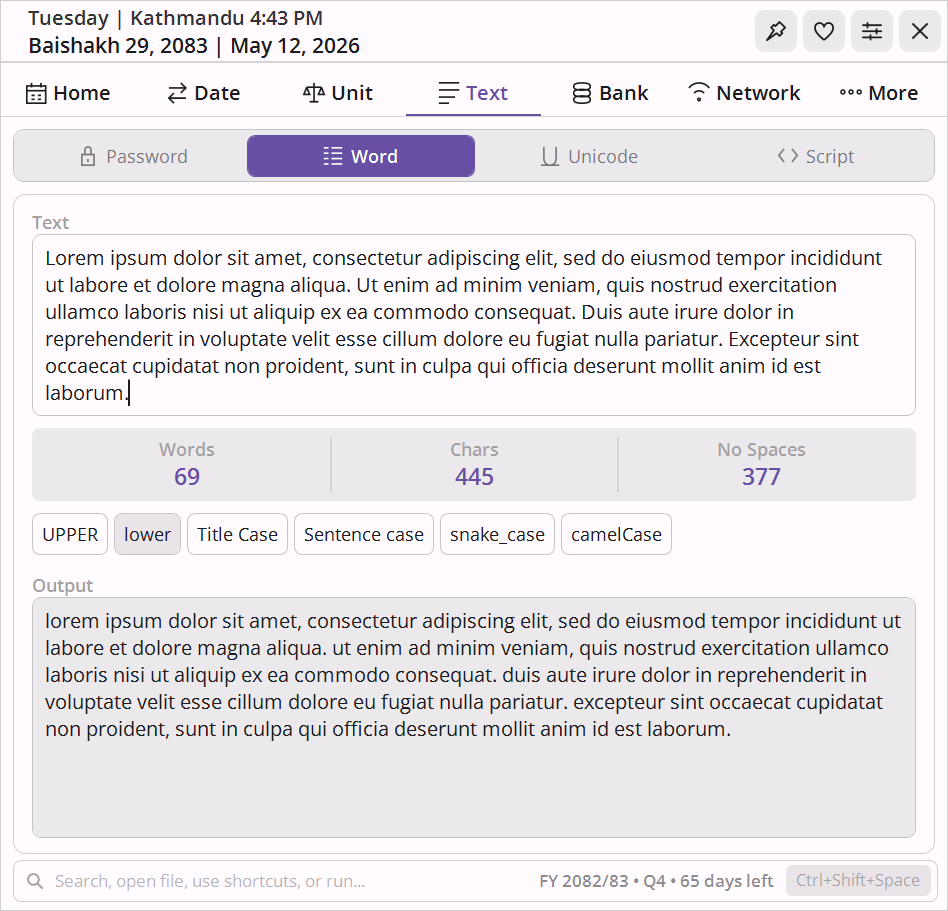
Paste any text and get an instant breakdown of words, characters, and characters without spaces. The same panel includes text case transformations: UPPER, lower, Title Case, Sentence case, snake_case, and camelCase - with one-click copy of the result.
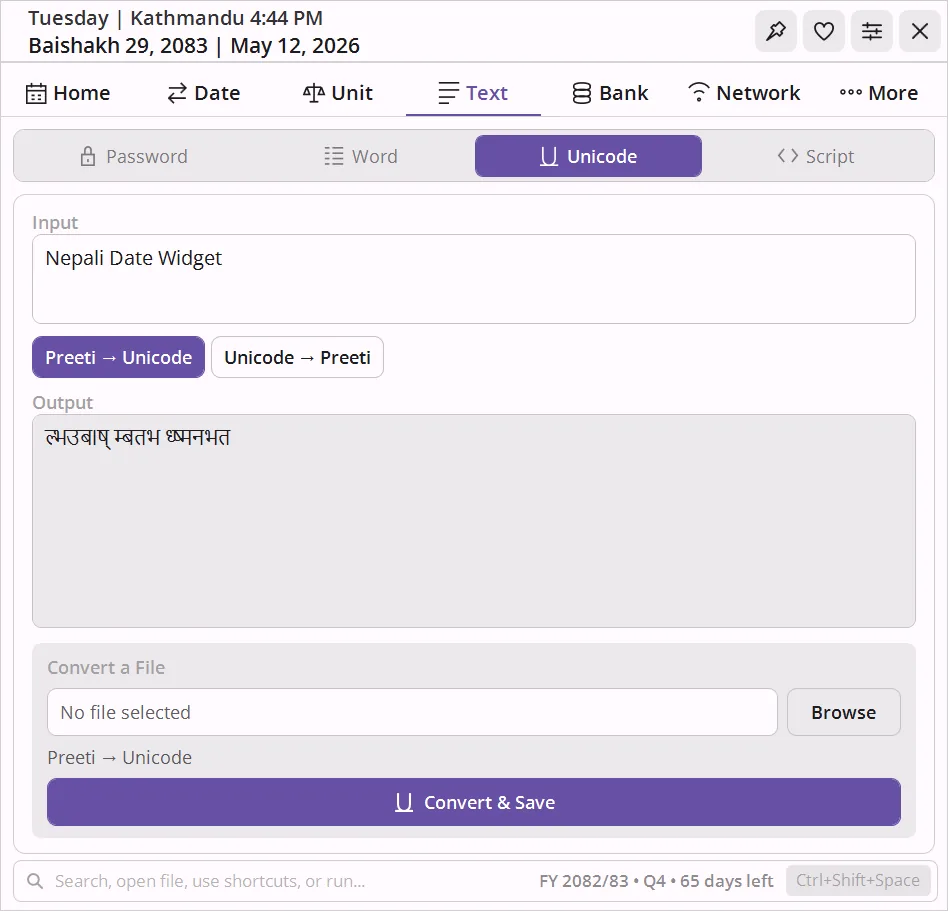
Preeti → Unicode conversion
Converts text and entire documents between legacy Preeti font encoding and proper Unicode Devanagari - the most practical Nepali encoding problem there is.
- Paste inline for instant conversion in either direction (Preeti → Unicode or Unicode → Preeti)
- File conversion: drop a .txt file, pick direction, convert and save - handles entire documents in one step
- Essential for migrating old Preeti-encoded content to any Unicode-aware system
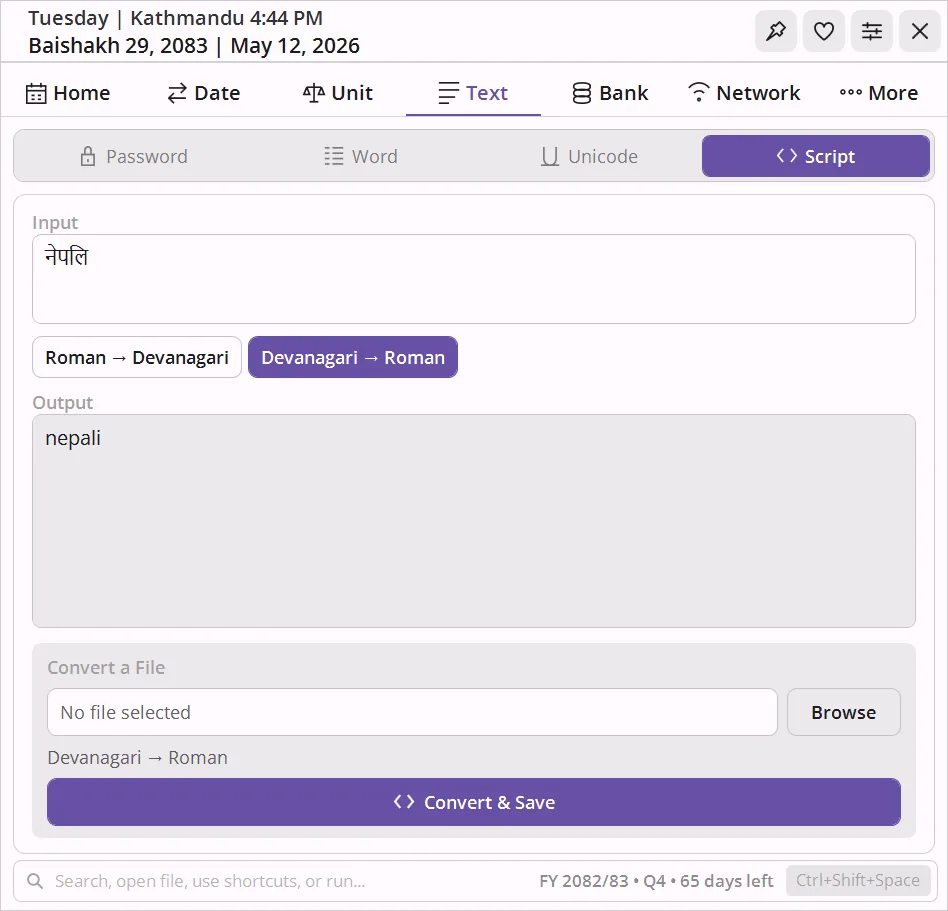
Devanagari ↔ Romanized
Convert Nepali text between Devanagari and Romanized script in either direction. Works inline for quick snippets or across an entire file.
- Roman → Devanagari and Devanagari → Roman, switchable mid-session
- File conversion: load a .txt file, convert, and save - no copy-paste marathon
- Handy for posts, documents, and form fields that only accept one script
EMI Calculator Nepal - Loan EMI - Interest in Bikram Sambat.
Calculate monthly EMI for home loans, car loans, or personal loans with a full amortization schedule tagged to BS dates. Or model interest across multiple rate periods for loans that changed rates mid-term.
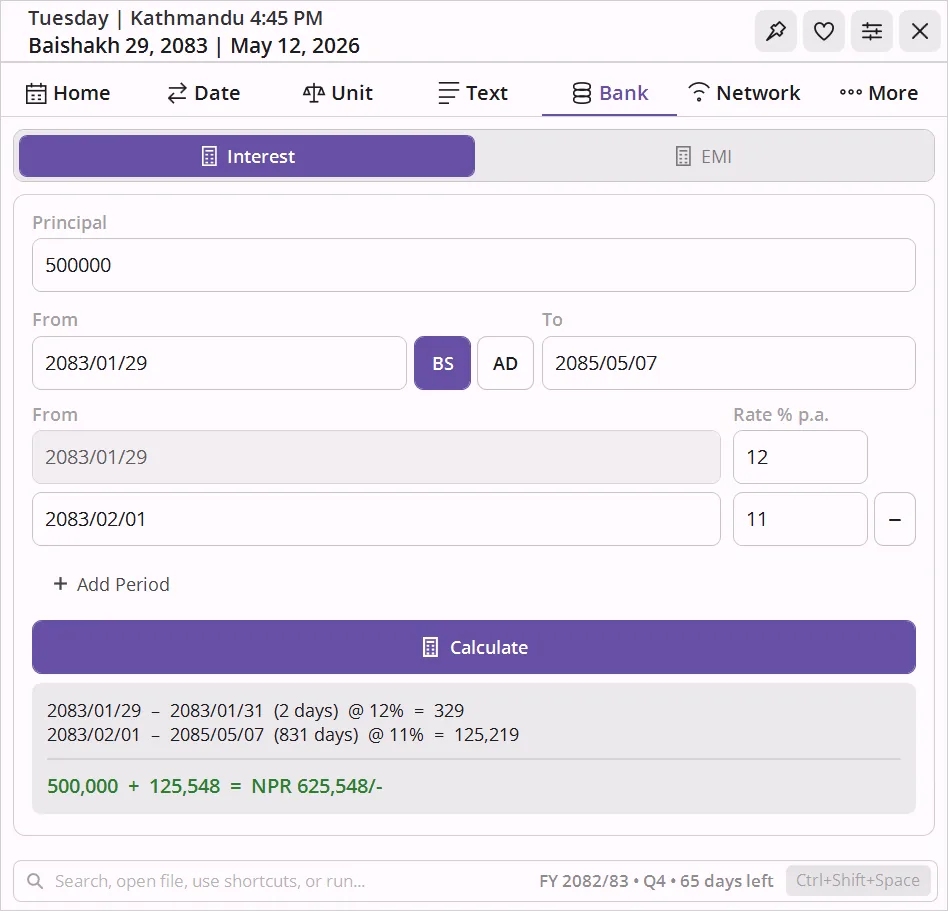
Multi-period simple interest
Enter principal and a global From / To date range, then add as many rate periods as needed. Each row carries its own start date and annual rate. The Add Period button auto-fills the next start date to the first day of the following month.
- Per-row interest breakdown plus a grand total
- Supports rate changes mid-loan
- Switch freely between BS and AD input
Loan EMI with full schedule
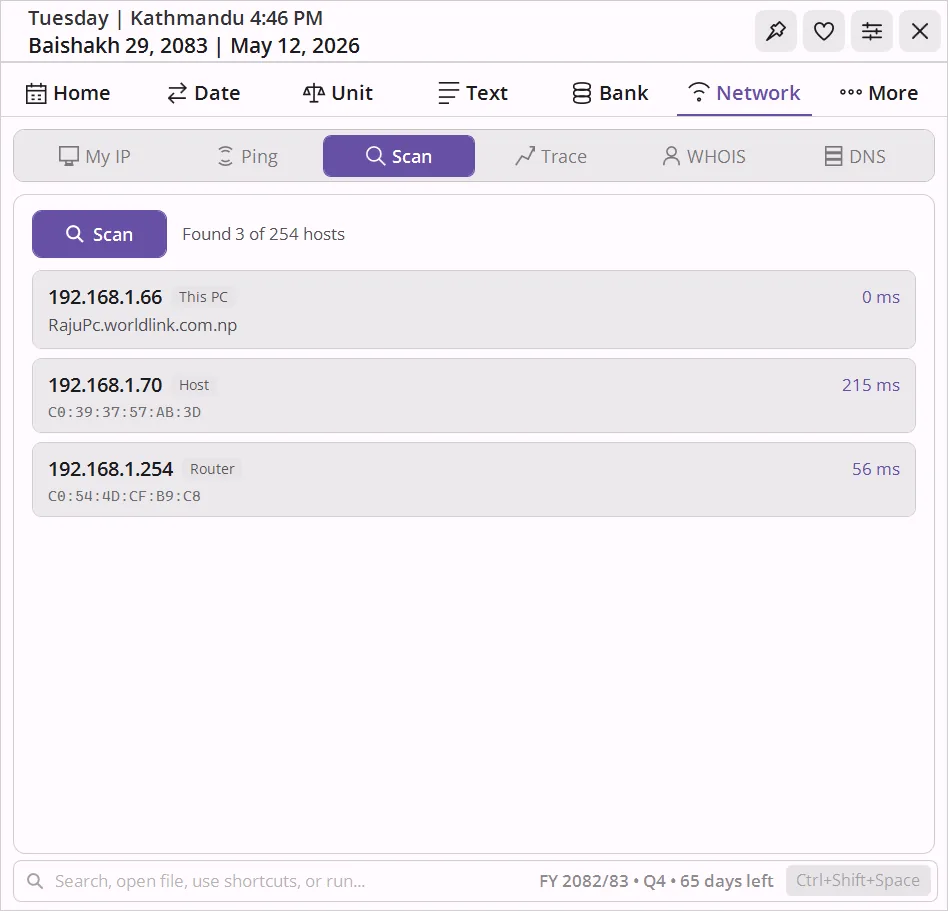
Enter loan amount, BS start date, annual rate, and tenure in months. The widget computes monthly EMI, total interest, and total payment, then shows the year-by-year and month-by-month amortization breakdown.
- Year rows expand to monthly detail
- Each row tagged with its BS month start
- Both BS and AD dates respected
My IP Address, Whois Lookup, Ping - Network Tools.
Find your public and private IP address, ping any host, scan your local subnet, trace network routes, look up domain Whois records, query DNS, and discover nearby wireless networks - seven tools without leaving the widget or installing anything extra.
Public and private addresses at a glance
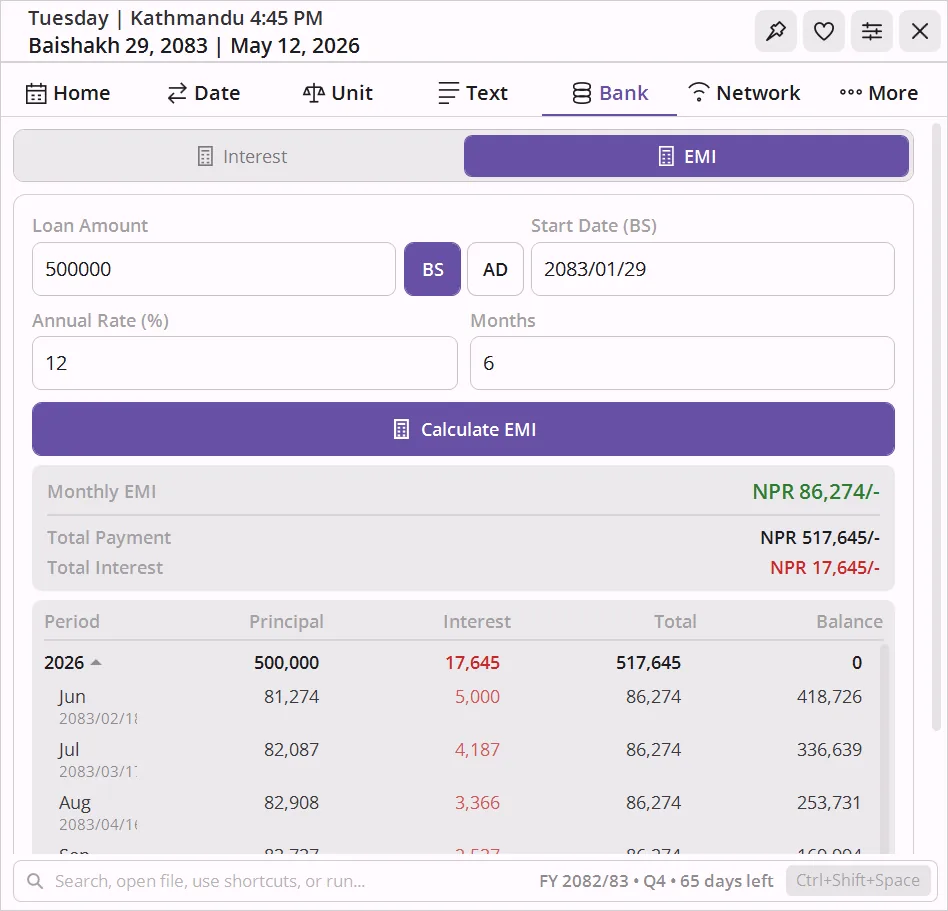
See your public IPv4 and IPv6, and all active local interface IPs - on one screen. No browser tab required.
- Public IPv4 via ipify, public IPv6 where available
- All active local interfaces listed with names
Ping any host
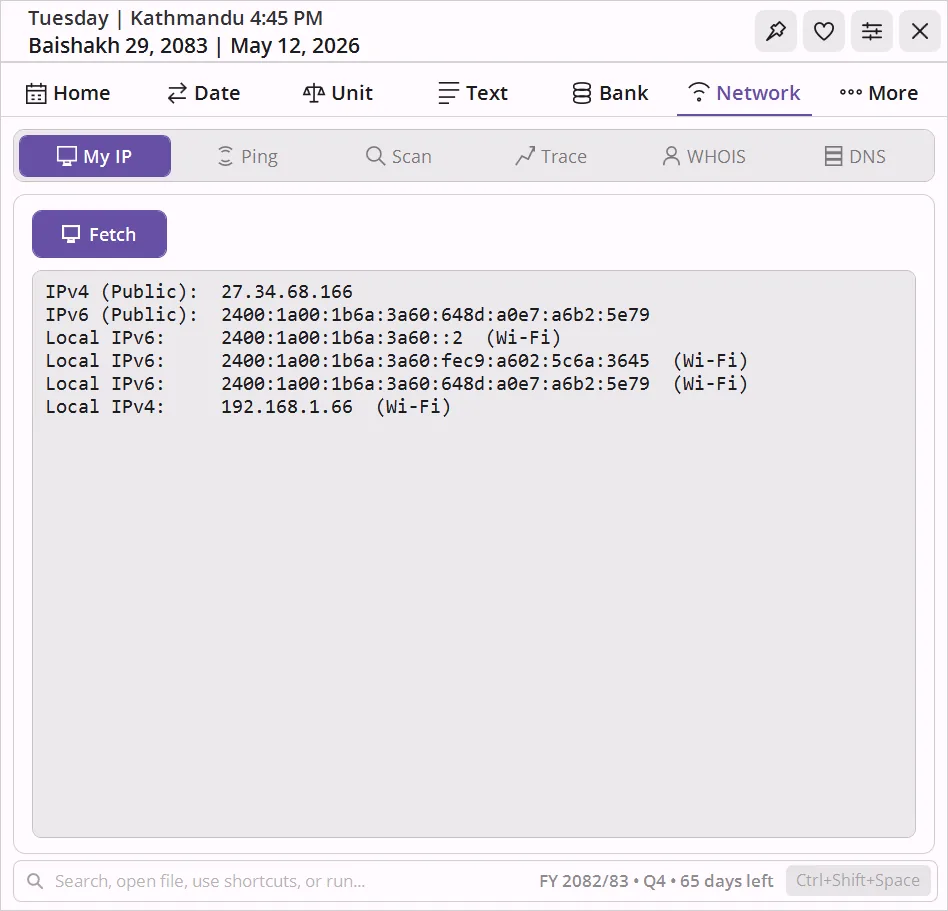
Type a host, set the count, and ping. Each round trip prints with TTL, plus a clean Sent / Received / Lost summary and Min / Max / Avg RTT.
- Supports IPv4 and IPv6
- Configurable packet count
- Output styled like a real terminal
Scan your whole subnet in seconds
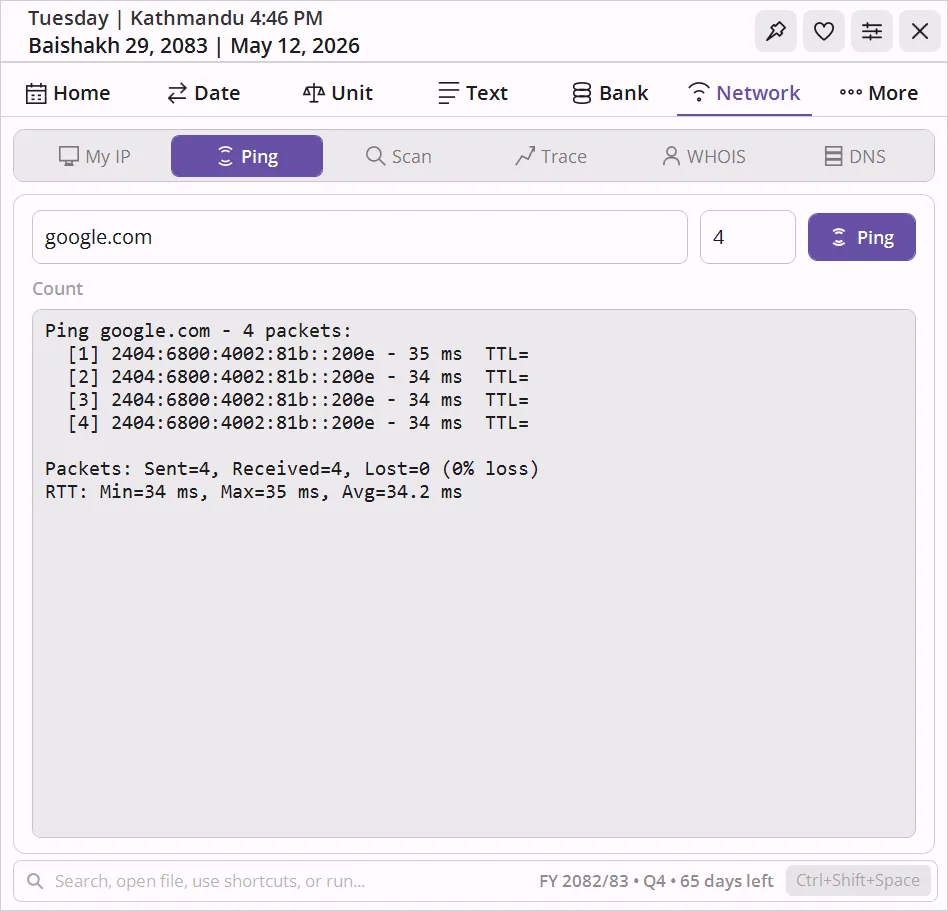
Parallel-pings every host on your local subnet (auto-detected, up to /24) and builds a table of every device that responds. Hostname resolution uses DNS with NetBIOS fallback, MAC address via ARP, and manufacturer from the OUI database.
- Up to 64 parallel pings - finishes a /24 in a few seconds
- IP, hostname, MAC, manufacturer, inferred device type (Router, This PC, printer, etc.)
- Marks your own machine and the gateway automatically
Hop-by-hop network path to any host
Shows the full route a packet takes to reach any host. Each hop displays the IP, hostname if resolvable, and round-trip time - useful for pinpointing where latency or packet loss originates.
- Full per-hop breakdown
- Identifies high-latency hops at a glance
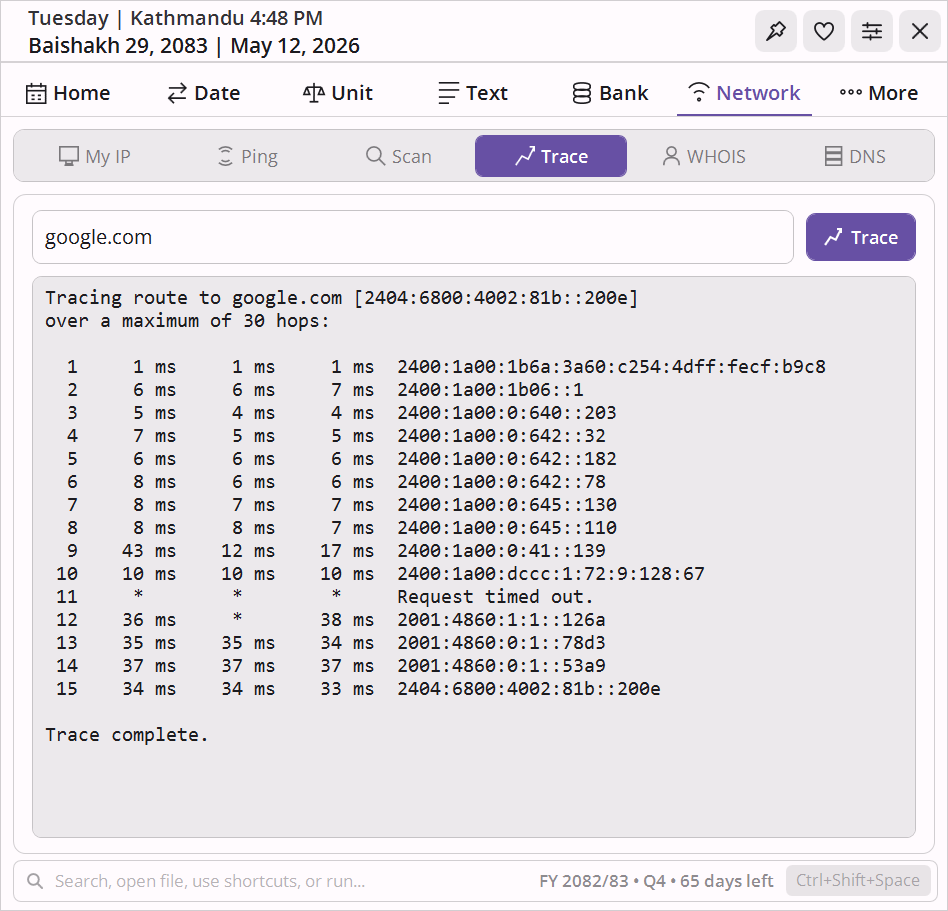
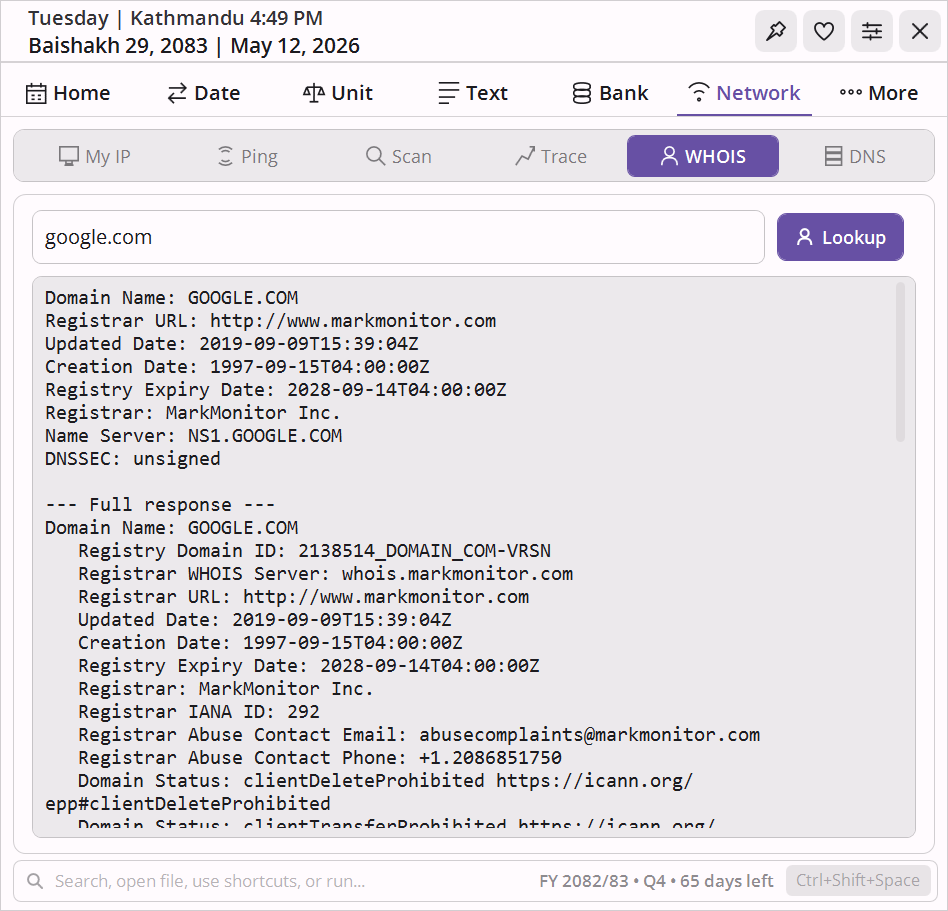
Domain and IP registration lookup
Look up registration and ownership records for any domain or IP block directly from the widget. No browser tab, no copy-pasting into a web form.
- Registrar, registration and expiry dates
- Name servers and contact details
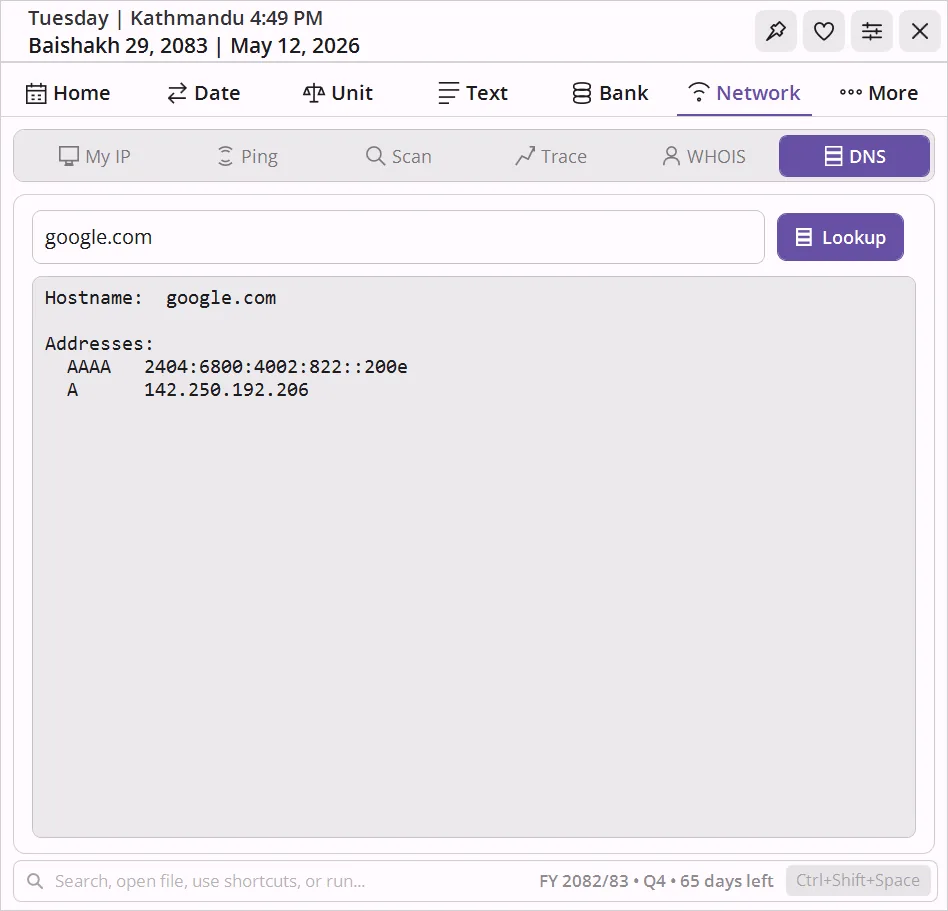
Resolve hostnames and inspect DNS records
Resolve any hostname to its IP addresses using the system DNS resolver. Returns A (IPv4) and AAAA (IPv6) records, the canonical hostname, and any aliases.
- A (IPv4) and AAAA (IPv6) records with canonical hostname and aliases
- Results displayed as a clean, readable table
Discover nearby wireless networks
Scans for all wireless networks in range and displays them in a live table. No external tools or admin rights required.
- Signal strength, channel, and security type (WPA2, WPA3, Open, etc.) for each network
- Refreshes on demand - see which networks are in range right now
Documents, notes, reminders, ID photo, image tools, and QR code generator.
Two groups in one tab - Essentials: attach files, write BS-dated notes, and set recurring reminders; Tools: crop ID and passport photos, process images in batch, and generate QR codes for text, URLs, WiFi, and contacts. All stored locally, all offline.
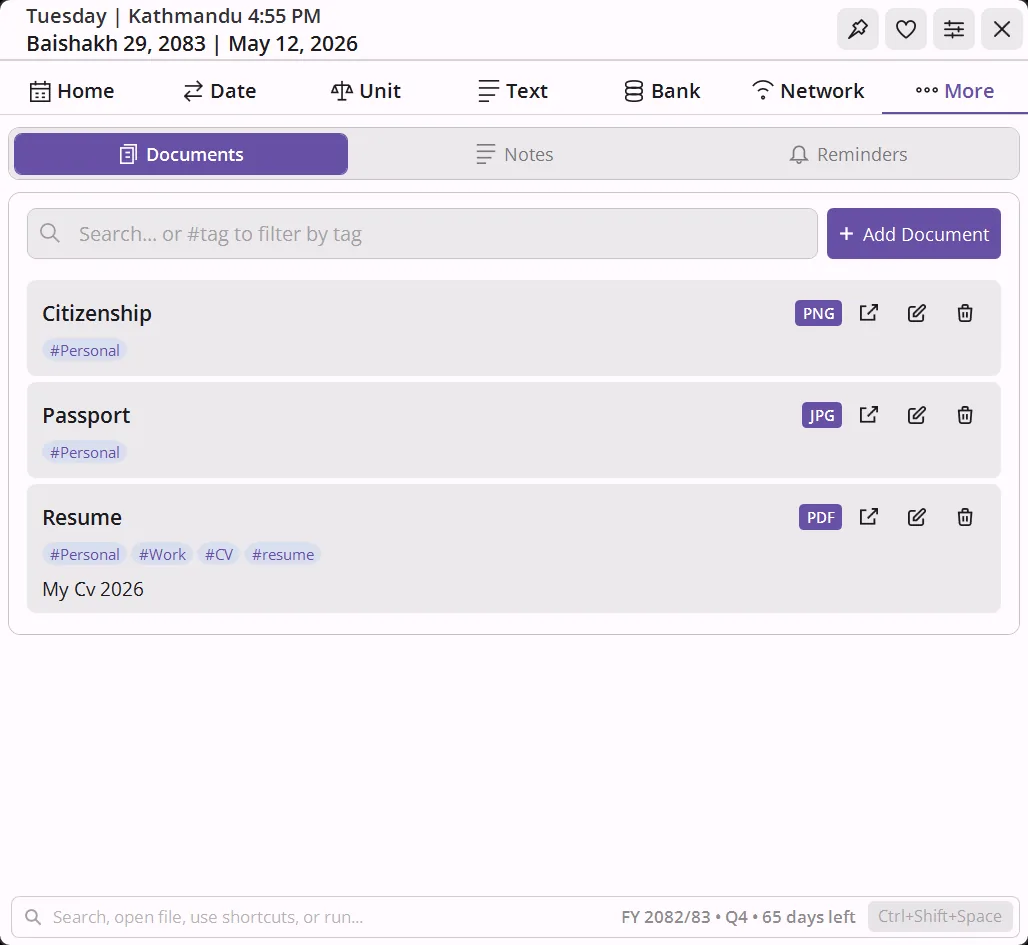
Attach and organize files locally
Store references to frequently used files (PDFs, images, Word, Excel) directly in the widget. Add a title, tags, and optional notes to each entry. Search by title or tag to find files instantly.
- Open the file in its default app with one click
- Jump directly to the containing folder in Explorer
- Files are copied into the app’s data directory and organized automatically
- The Documents folder is pinned to Windows Explorer Quick Access on startup, so it appears in every file-upload dialog sidebar
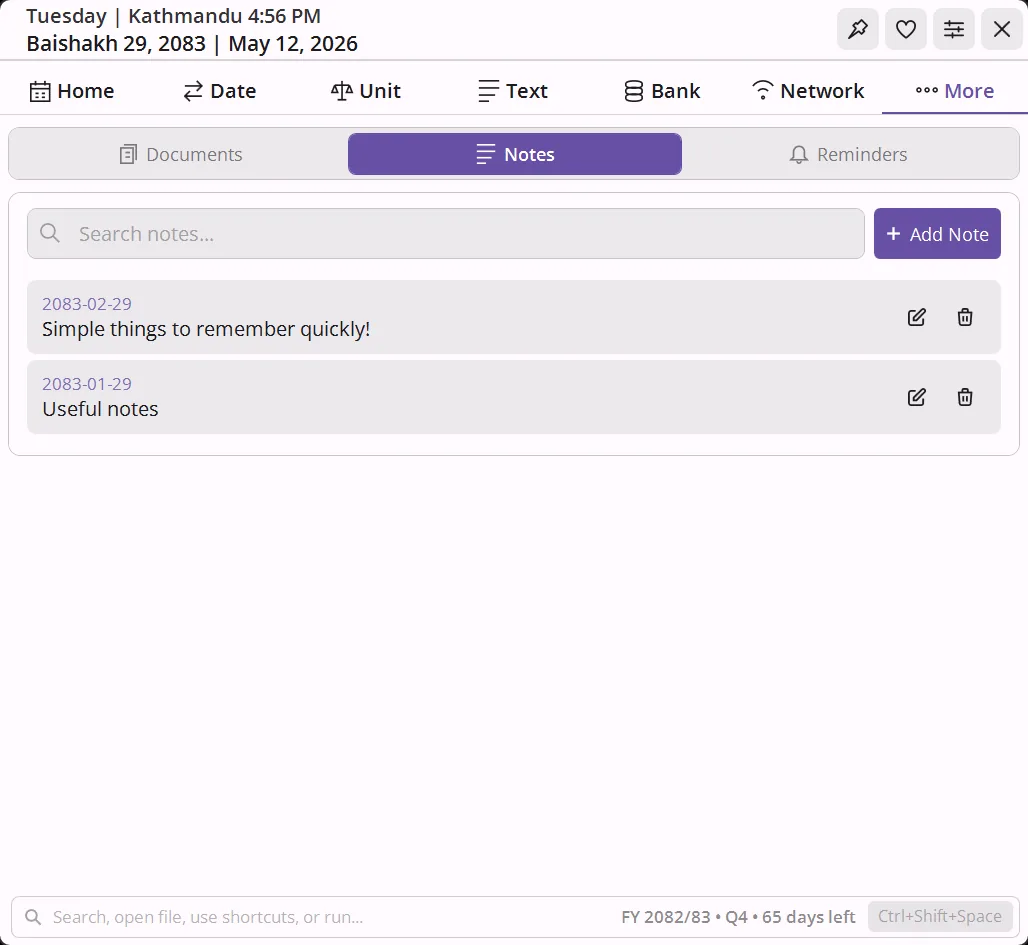
Quick local notes, pinned to BS dates
Keep short notes alongside your calendar. Each note is tied to a BS date and shows as a dot on the calendar grid. Stored locally, no sync, no account.
One-shot or recurring
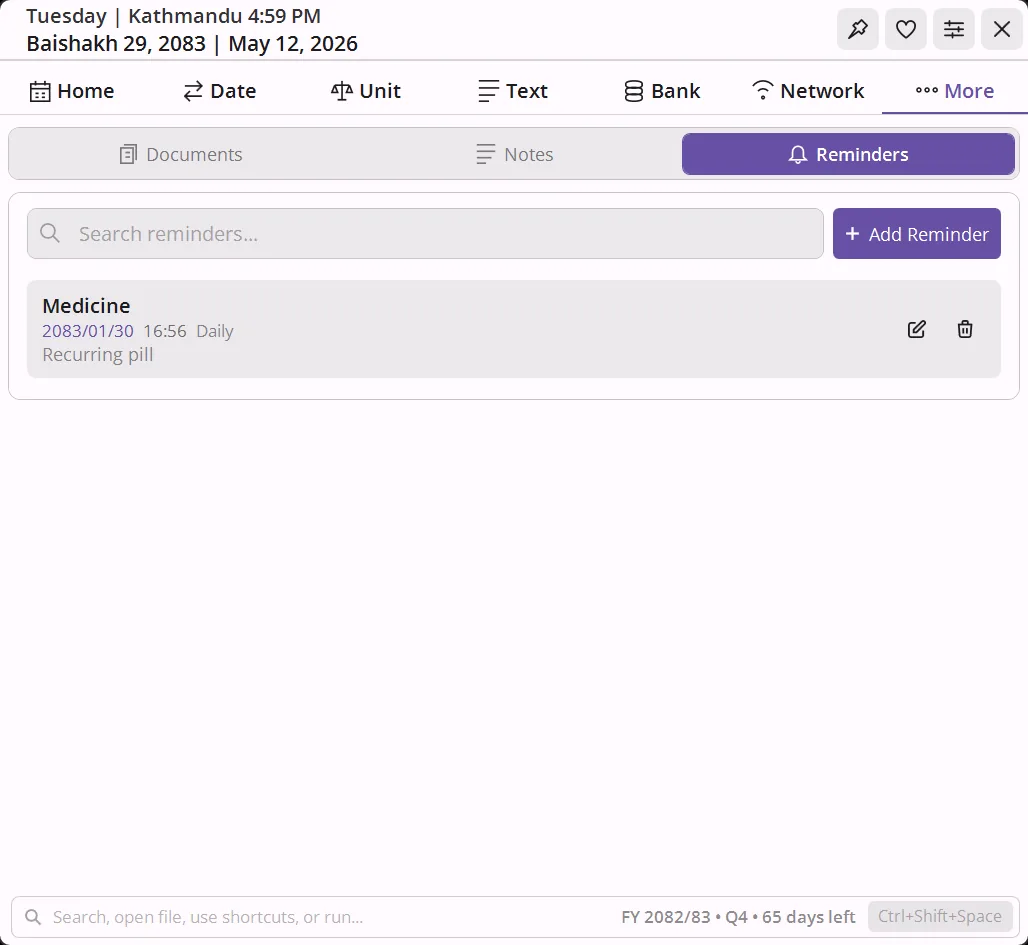
Pin reminders to BS dates with optional time and recurrence (daily, weekly, monthly, yearly). Edit or delete inline from the More tab or directly from the calendar day popup. They survive app restarts.
Crop, resize, and tile passport and ID photos to a print sheet
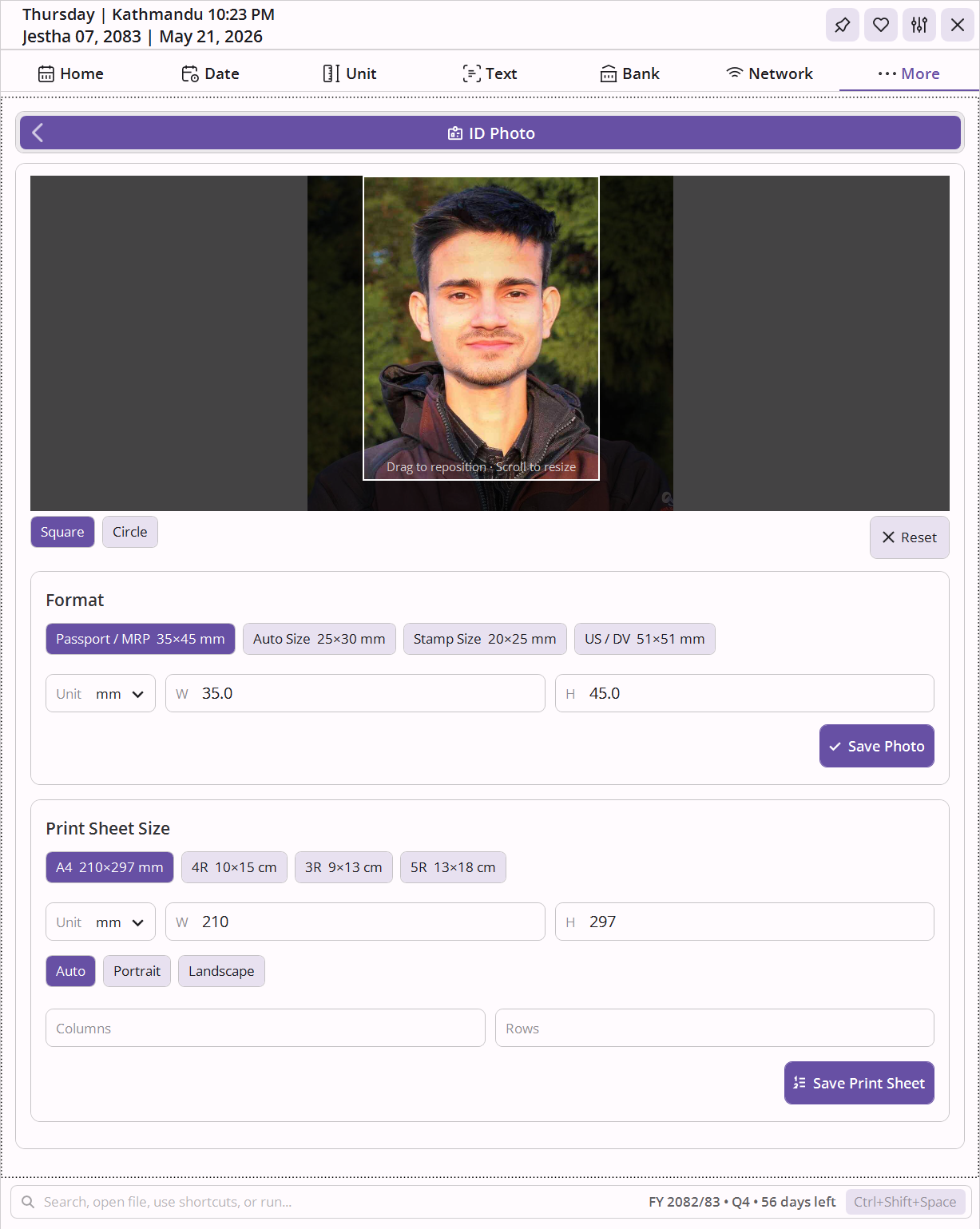
Drop any photo, drag the crop frame to position, and scroll to zoom. The tool handles the dimension math so the output matches the exact print size of the document you are preparing.
- 4 presets: Passport / MRP (35×45 mm), Auto Size (25×30 mm), Stamp Size (20×25 mm), US / DV (51×51 mm) - all editable
- Square or circle crop; circle mode outputs a PNG with transparent background
- Custom dimensions with unit selector (mm, cm, in, px)
- Sheet export: tile the cropped photo onto A4, 4R (4×6″), 3R (3.5×5″), 5R (5×7″), or any custom sheet size; configure orientation and auto-fill or manually set columns and rows
Compress, resize, and convert images in batch
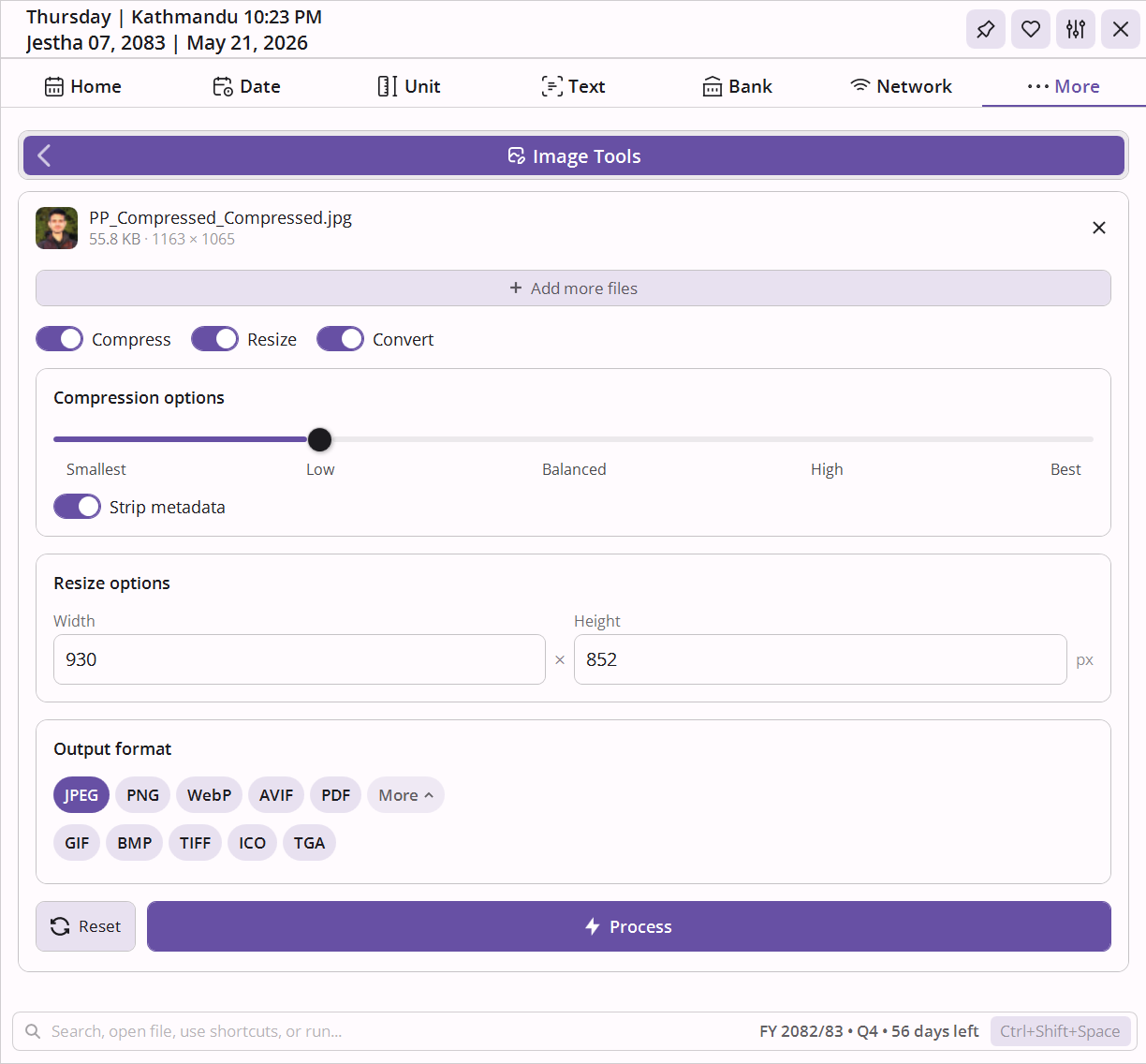
Drop multiple images and apply any combination of three independently toggleable operations in a single pass. Reads JPEG, PNG, WebP, AVIF, GIF, BMP, TIFF, HEIC/HEIF, ICO, TGA, all major RAW formats (ARW, CR2, CR3, DNG, NEF, ORF, RAF, RW2, ERF, PEF, X3F), and PDF.
- Compress: 5-level quality slider (Smallest to Best), optional metadata stripping; compress PDF files (PDF linearization), format-aware options for GIF (frame optimization) and TIFF (LZW / ZIP / JPEG / None)
- Resize: resize images to exact pixel dimensions (width × height) in bulk
- Convert: output to JPEG, PNG, WebP, AVIF, GIF, BMP, TIFF, ICO, TGA, or PDF - covers PDF to JPG, image to PDF (A4 layout), PNG to JPG, JPG to PNG, HEIC to JPG, WebP to JPG, and all format combinations in one pass
- Completion summary shows files processed and total bytes saved; auto-resets after 3 seconds on full success
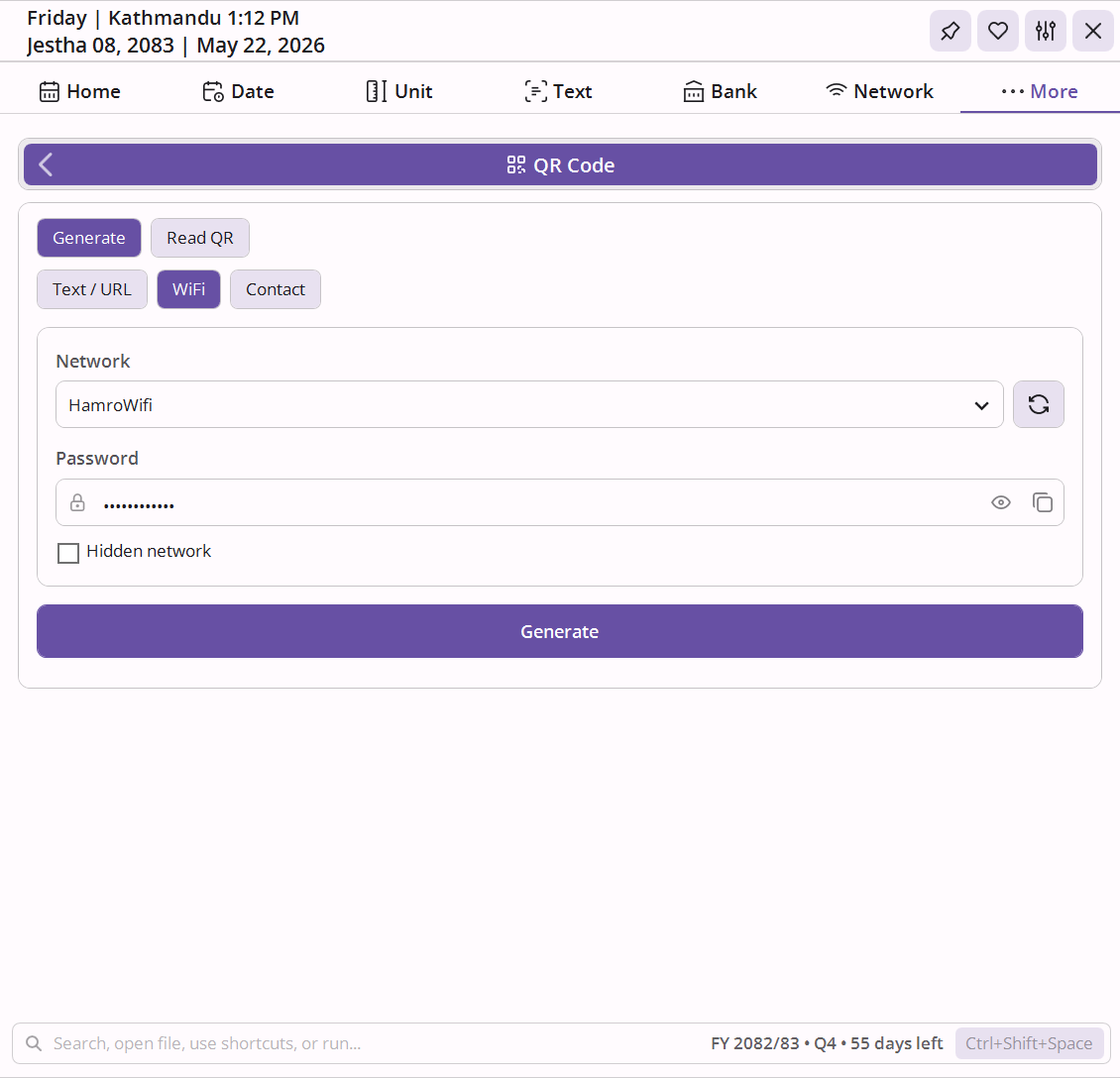
Generate and decode QR codes for text, URLs, WiFi, and contacts
Two modes in one tool. Generate creates a QR code from any input and lets you save it as a PNG or copy it to the clipboard. Decode reads any QR image and extracts the content.
- Text / URL: type or paste any text or web address and generate a scannable code instantly
- WiFi: reads your saved Windows WiFi profiles from a dropdown, password is auto-filled for user-owned profiles, mark hidden networks - anyone who scans connects without typing credentials
- vCard: enter first and last name, phone, and email to create a contact-share QR code
- Output is displayed on a white frame for reliable scanning against any theme; export as PNG or copy to clipboard in one click
Run anything without leaving the keyboard.
Global hotkey command launcher with history
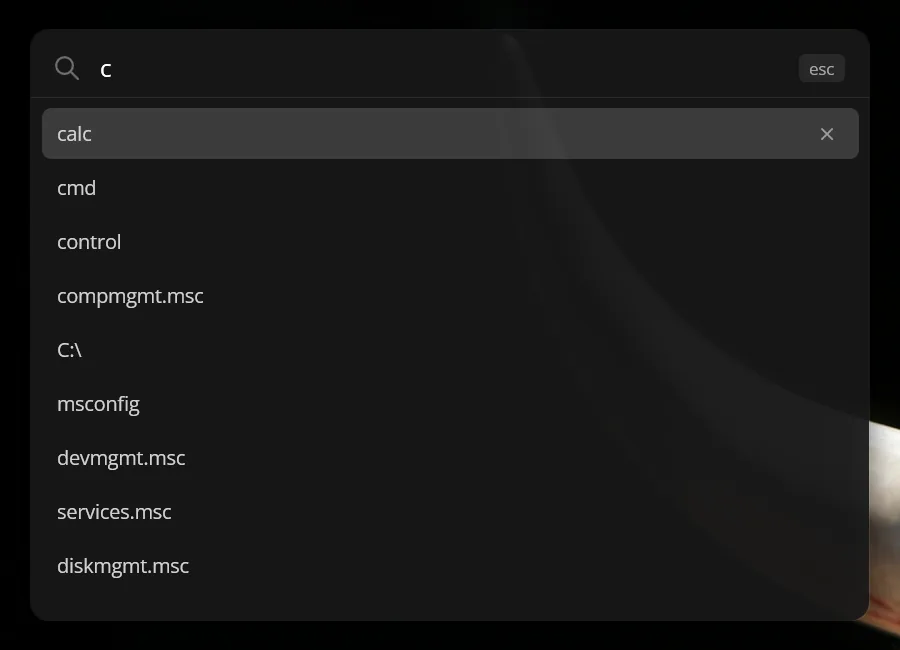
Press the configurable hotkey (default Ctrl+Shift+Space) from anywhere in Windows to summon a compact run bar. Type a program name, file path, URL, or just a search term and press Enter.
- Runs commands exactly like the Windows native Run dialog
- Detects URLs and opens them in your default browser
- Falls back to a Google search for anything that doesn’t match a command or URL
- Calculator: type
= 2+3*4to evaluate a math expression inline - press Enter to copy the result to clipboard - Stores up to 500 history entries; navigate with arrow keys, filter by typing, Tab-complete from history
- Hotkey is fully configurable from Settings
Search prefix shortcuts for frequently used sites
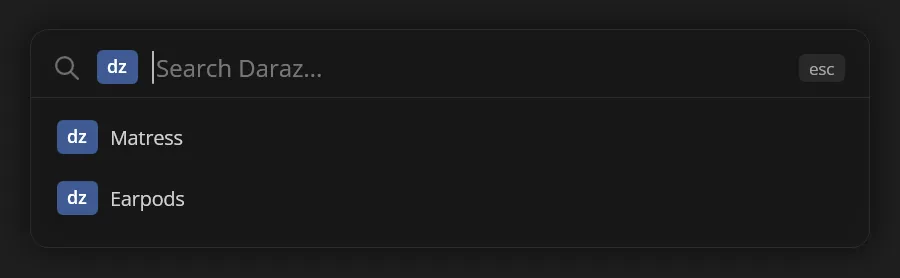
RunBox ships with preconfigured search keywords. Type a keyword followed by your search term and press Enter - for example yt lofi mix searches YouTube or dz oven searches daraz.
- YouTube, GitHub, Google Maps, daraz, eKantipur, and 17 more out of the box
- No full URL needed - keyword + query is all it takes
- Each shortcut is editable from Settings
Open a map directly from a keyword
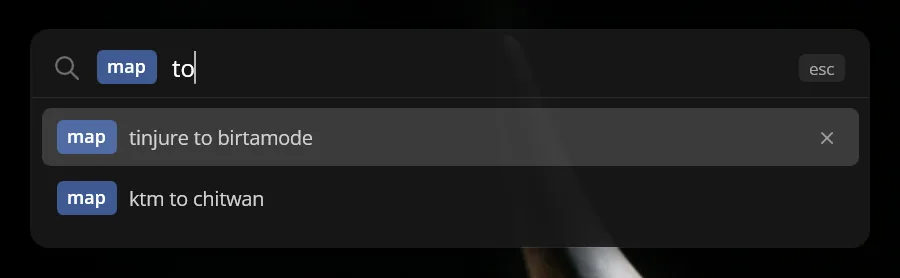
Type map followed by any location and RunBox passes the query straight to Google Maps - no browser pre-opened, no extra navigation required.
- Works with any address, place name, or coordinate
- Opens in your default browser
Run your own scripts from the command bar
Define custom commands that run any script or executable on your machine. Assign a keyword, point it at a file, and it runs on Enter - the same way as any built-in command.
- Comes with a Desktop Organizer script out of the box - no setup required
- Supports PowerShell, batch files, cmd, Python, and WSL scripts
- Use
{APPDIR}in paths to reference scripts bundled with the app - Edit
scripts.jsonfrom Settings to add or change entries - Invoke from RunBox by typing
scrfollowed by the script name - prefix locks and suggestions appear as you type

Deep customization, zero friction.
Appearance, behavior, calendar display, font, timezone, mini bar toggles, and RunBox hotkey - every preference persists across restarts.
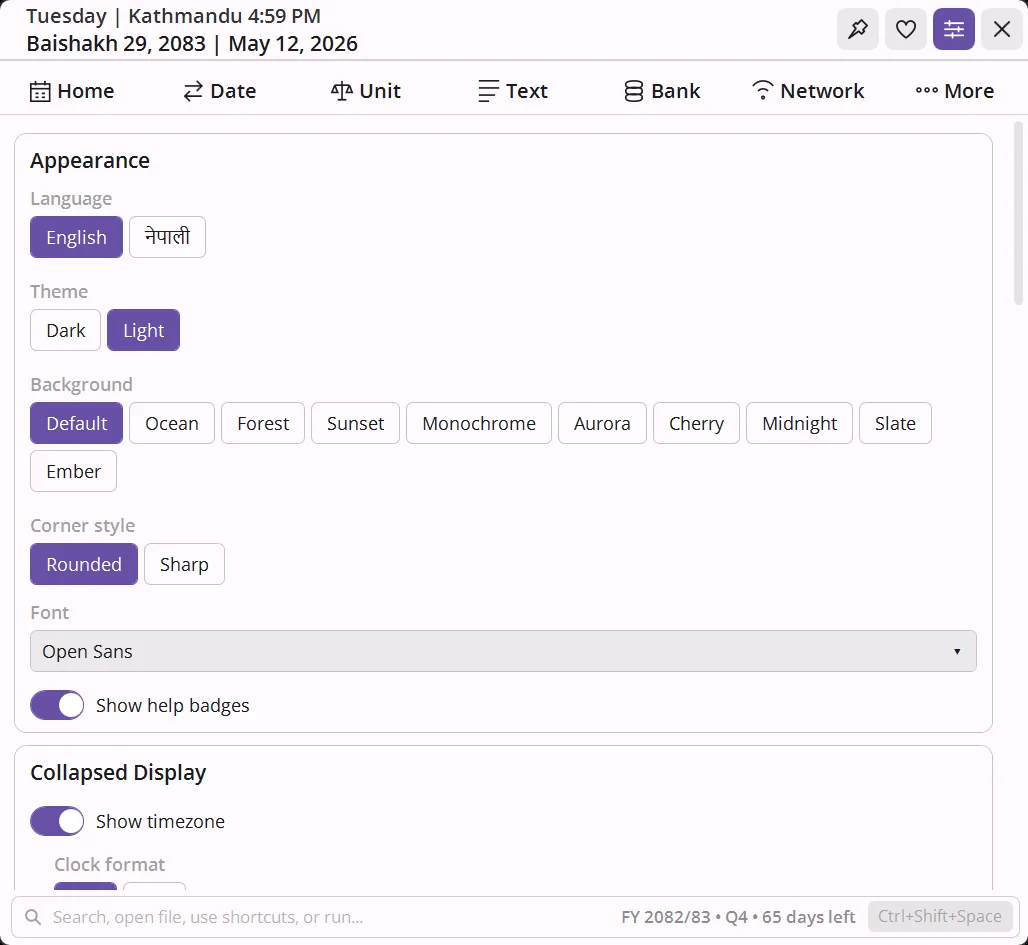
20 color presets
Forest, Ocean, Default, Sunset, Cherry, Aurora, Midnight, Slate, Monochrome, Ember - each available in light and dark. One click switches the full palette including accent, background, and surface tones.
Font selection
20 font choices. Segoe UI, Calibri, and Verdana (system fonts) plus 17 embedded fonts that work on any machine regardless of what’s installed: Inter, Open Sans, Roboto, IBM Plex Sans, Source Sans 3, Noto Sans, Cascadia Code, Poppins, Montserrat, Lato, Raleway, Nunito, Rubik, DM Sans, Work Sans, Quicksand, Imprima.
Calendar display
Toggle each calendar element independently: English day numbers, Saturday highlights, Sunday highlights, tithi, festival labels, and public holiday highlights. Pick a holiday accent color from 12 options (Red, Orange, Pink, Purple, Blue, Teal, Green, Yellow, Amber, Cyan, Indigo, Brown).
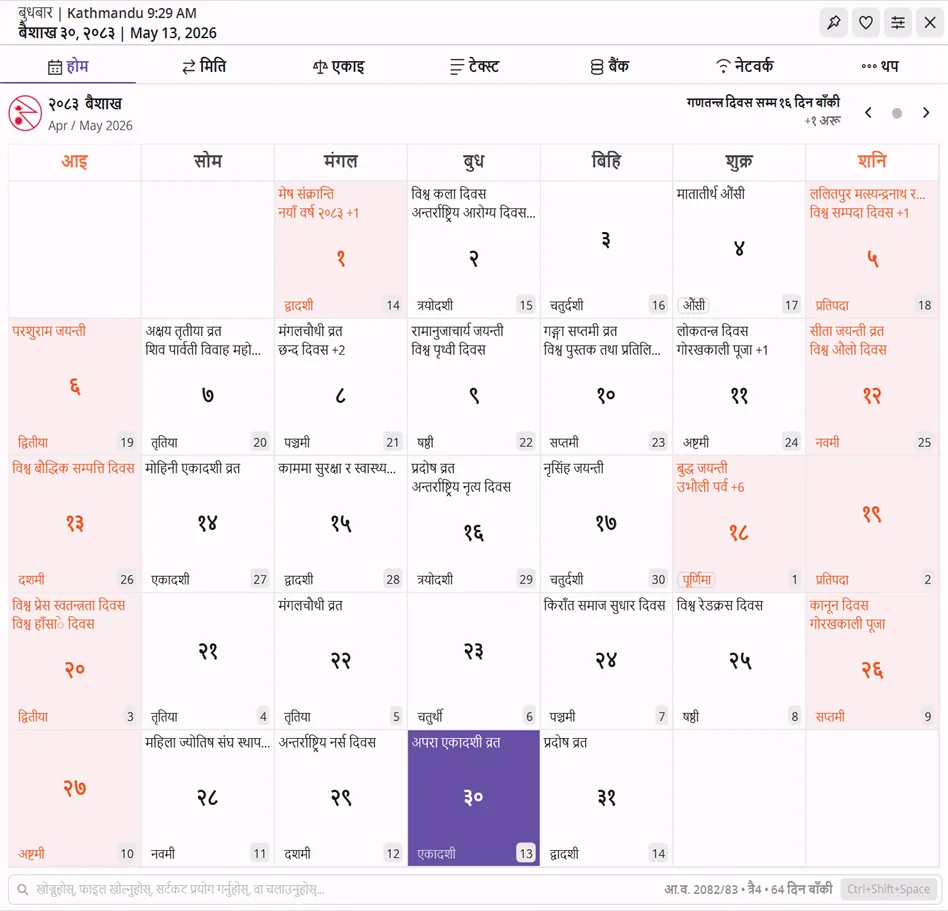
English / नेपाली
Switch the entire UI between English and Nepali instantly. Labels, dates, tool names - everything switches in one click. No restart needed.
RunBox hotkey
Configure the global shortcut that summons the RunBox launcher from anywhere in Windows. Default is Ctrl+Shift+Space. Record any combination from the Settings panel.
Notification settings
Set how long reminder notifications stay on screen (5–60 seconds) and toggle the notification sound on or off.
Corner style - transparency
Rounded or sharp corners to match your taskbar and Windows theme. Optionally enable transparent when collapsed so the mini bar blends into the taskbar background.
Startup - animations
One toggle to launch with Windows. Animations can be disabled independently for a snappier feel on older hardware. Autostart is enabled by default on first launch and stays in sync with the registry.
Timezone - mini bar display
Choose which timezone to show on the mini bar. Toggle the timezone label, UTC offset, day of week, English date, and 12h / 24h clock format independently. The holiday countdown banner is also toggleable from here.
Frequently Asked Questions
How do I convert Preeti to Unicode in NepDate Widget?
Open the Text tab and select the Unicode section. Paste your Preeti-encoded text on the left side and the Unicode Devanagari output appears instantly on the right. You can also drop an entire .txt or .docx file for bulk conversion. The converter supports Preeti, Kantipur, Himalaya, Sagarmatha, and four more legacy Nepali fonts.
How do I convert bigha to ropani or ropani to bigha?
Open the Unit tab, select Area mode, choose Bigha as the source and Ropani as the target (or vice versa), and type the value. The result updates as you type. The converter also handles kattha, dhur, aana, paisa, dam, khetmuri, square metres, and square feet.
How do I convert tola to gram or gram to tola?
Open the Unit tab, switch to Weight mode, pick Tola and Gram, and type the amount. 1 tola equals 11.6638 grams per the Nepal Weights and Measures Act. The converter also supports tola to kg, kg to tola, tola to ounce, and ounce to tola - plus dharni, pawa, mana, pathi, muri, lb, and more.
How does the EMI calculator work for Nepal bank loans?
Open the Bank tab, select EMI, and enter the loan amount, annual interest rate, tenure in months, and a BS start date. The calculator computes your monthly EMI, total interest, and total repayment, then shows a year-by-year and month-by-month amortization schedule with each payment tagged to its Bikram Sambat month.
How do I find my IP address using NepDate Widget?
Open the Network tab and select My IP. Your public IPv4 (and IPv6 if available) and all active local interface IPs appear on one screen. No browser tab or external site needed.
Can NepDate Widget generate strong passwords?
Yes. Open the Text tab and select Password. Adjust the length slider, toggle character sets (uppercase, lowercase, digits, symbols, and even Nepali characters), and click Generate. A live strength meter shows entropy-based feedback. You can also paste any existing password to check its strength.
What Nepali holidays and festivals does the calendar show?
The Bikram Sambat calendar displays all Nepal government public holidays (gazetted), major festivals (Dashain, Tihar, Chhath, Holi, Teej, Janai Purnima, etc.), and regional observances. Each holiday shows on the correct BS date with its name in both English and Nepali. A live countdown on the mini bar tells you how many days remain until the next public holiday.
Can I resize and compress images with NepDate Widget?
Yes. The Image Tools section in the More tab handles batch compression, resizing, and format conversion. Drop multiple images, choose your operations (compress with a 5-level quality slider, compress PDF files, resize image to exact pixel dimensions, convert PDF to JPG, PNG to JPG, JPG to PNG, HEIC to JPG, or any of the other supported output formats), and process them all in one pass. Supports 30+ input formats including RAW, HEIC, and PDF.
How do I make a PP size (passport size) photo?
Open the More tab and select ID Photo. Drop any photo, choose a preset (Passport/MRP 35x45mm, Auto 25x30mm, Stamp 20x25mm, or US/DV 51x51mm), position the crop frame, and export. You can also tile multiple copies onto a print sheet (A4, 4R, 5R, or custom) for printing at home or at a studio.
Can NepDate Widget generate a QR code for WiFi sharing?
Yes. Open the More tab, select QR Code Generator, and switch to WiFi type. The tool reads your saved Windows WiFi profiles and shows them in a dropdown - select a network, verify or enter the password, and click Generate. Anyone who scans the code connects without typing credentials. You can also generate QR codes for any text, URL, or vCard contact, and export the result as a PNG or copy it to the clipboard. A Decode mode lets you import any QR image and read its content.
How is this different from Hamro Patro?
Hamro Patro is a mobile and web platform with news, horoscopes, and community features. NepDate Widget is a native Windows desktop application focused on productivity: it sits on your taskbar for instant access, works entirely offline, collects zero telemetry, and bundles 25+ tools (date converter, EMI calculator, Preeti-Unicode, network toolkit, RunBox launcher) that Hamro Patro does not offer.
Does NepDate Widget support older Nepali calendar years like 2079, 2080, and 2082?
Yes. The Bikram Sambat calendar covers all years from BS 1970 to BS 2100 (AD 1913 to AD 2043). You can navigate to any past or future year - 2079, 2080, 2081, 2082, 2083, 2084 and beyond - with full tithi, public holiday, and festival data for each month. Click the month navigation arrows or type the year directly in the date input.
Can I use it as a Nepali date calculator for birth dates and date differences?
Yes. The Date tab includes a days calculator alongside the date converter. Enter any BS date - including a Nepali birth date - to add or subtract days, or find the exact difference between two BS dates in years, months, and days. All inputs accept Nepali digits, full month names, and flexible separators.
When to Use NepDate Widget
Common tasks where NepDate Widget saves time daily - all offline, no browser required.
Filling out a lalpurja or government form
Official Nepali land deeds, citizenship documents, and government applications use Bikram Sambat dates. Use the Date tab to convert any AD date on your record to the required BS equivalent, or reverse, in one step.
Processing payroll for a Nepali company
Nepali salary slips use BS month and date. The EMI and date-arithmetic tools in the Bank and Date tabs let you map Gregorian payroll dates to the correct BS month for payslips and tax deduction records.
Calculating age from a Nepali birth certificate
Nepali birth certificates list date of birth in BS. Use Date Difference in the Date tab - enter the BS birth date as start and today's BS date as end to get exact years, months, and days of age.
Verifying a Nepal bank loan repayment schedule
Nepali banks issue EMI schedules with BS payment dates. The Bank tab generates a full amortization table with BS payment dates. Enter the principal, annual rate, term, and BS start date to match the bank's schedule exactly.
Converting academic certificate dates for international use
SLC, SEE, and university mark sheets issued in Nepal carry BS dates. Convert the certificate date to AD for visa applications, foreign university admissions, or professional credential verification abroad.
Nepal income tax and IRD filing deadlines
Nepal's Inland Revenue Department (IRD) publishes all deadlines - PAN renewal, VAT return, TDS deposit, and income tax filing - in BS. Use the Date tab to convert IRD's BS deadline to AD so you can set a calendar reminder without manual counting.
Ready to try all 25+ tools?
Download free Nepali date converter for WindowsWant this in your own .NET app?
Every BS computation in this widget runs on NepDate, a zero-allocation Bikram Sambat library for .NET.